Industry news
How Long Does a Capacitive Touch Screen Last? Lifespan, Touch Cycles & Industrial Durability
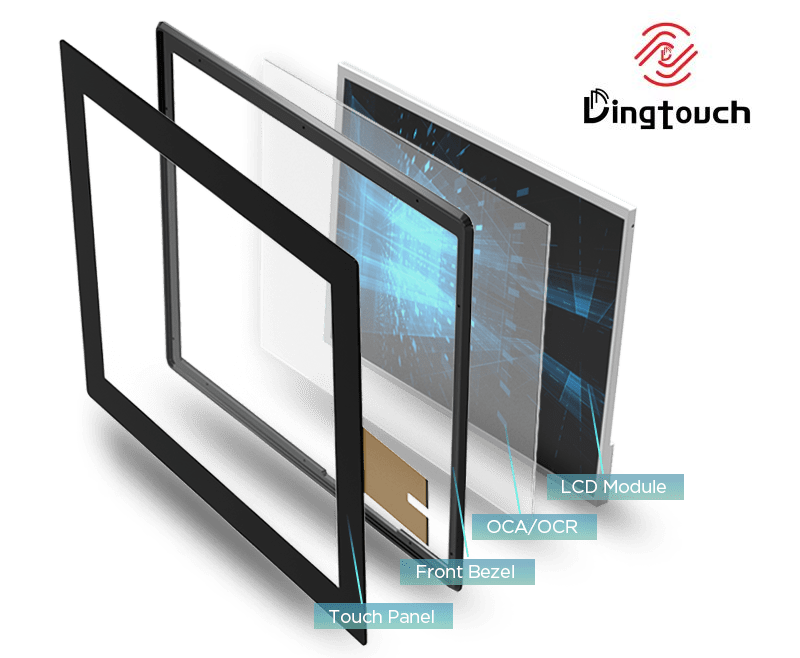 How Long Does a capacitive touch screen Last? Lifespan, Touch Cycles & Industrial Durability
A well-designed industrial capacitive touch screen can support tens of millions of touch operations, while the display backlight may provide a typical service life of 30,000–50,000 hours, depending on the display design, operating conditions, and required brightness.
Capacitive touch screens have become a standard human-machine interface (HMI) technology across industrial automation, medical equipment, transportation, kiosks, retail terminals, and consumer electronics. Their fast response, excellent optical performance, multi-touch capability, and sleek design make them suitable for applications ranging from smartphones to demanding industrial control systems.
But an important question remains:
How long does a capacitive touch screen actually last?
The answer is more complicated than simply counting the number of touches.
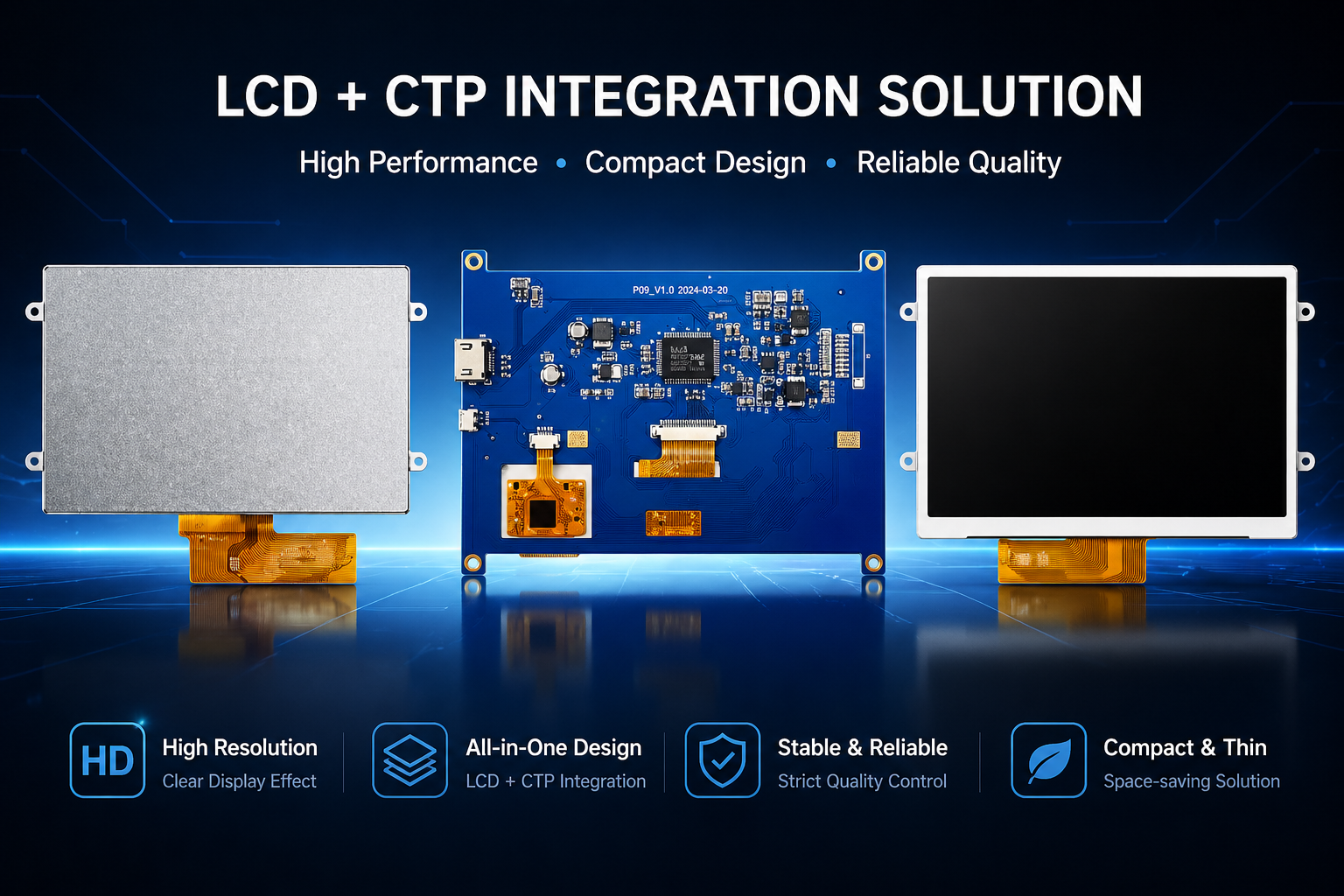
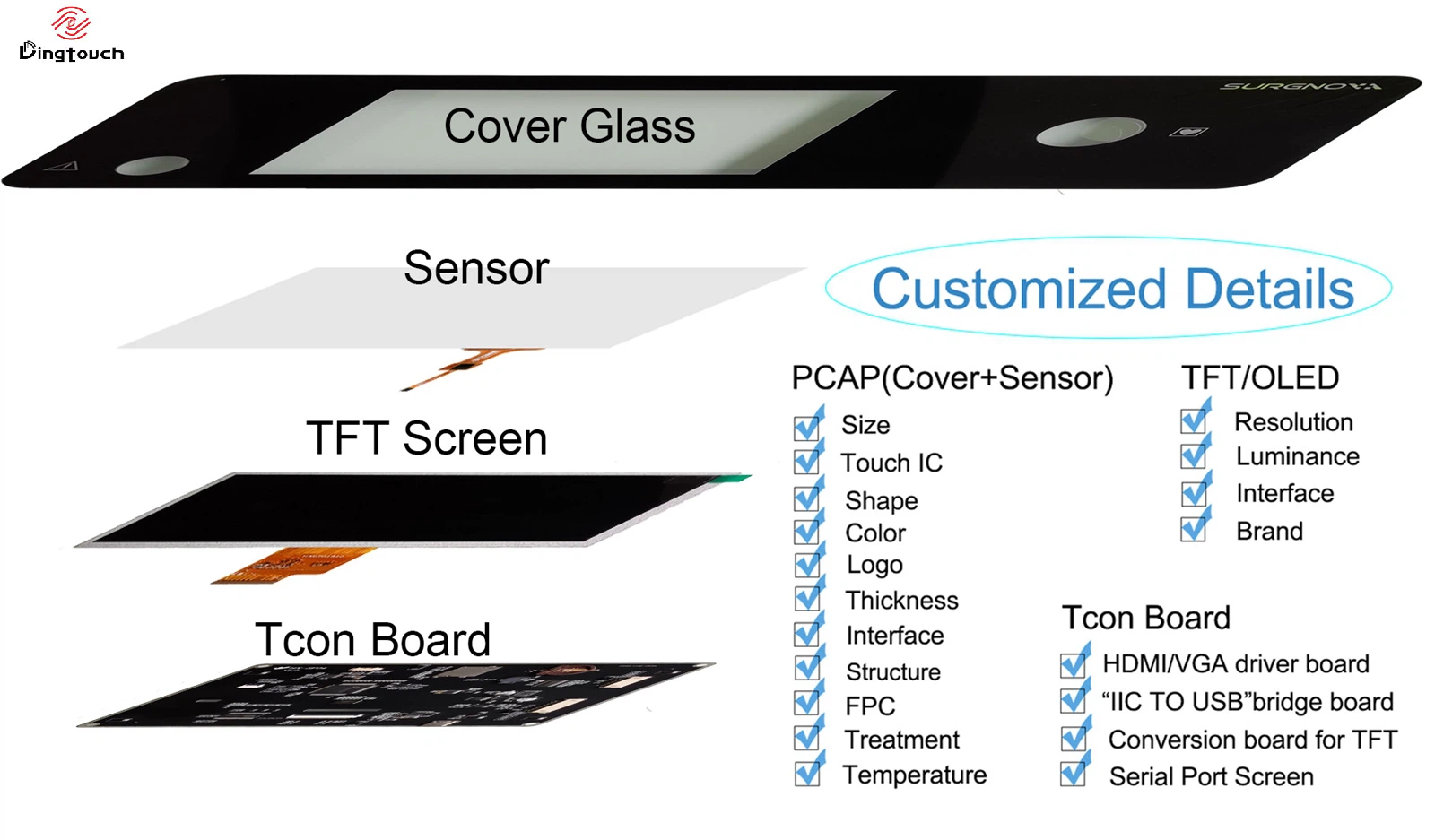
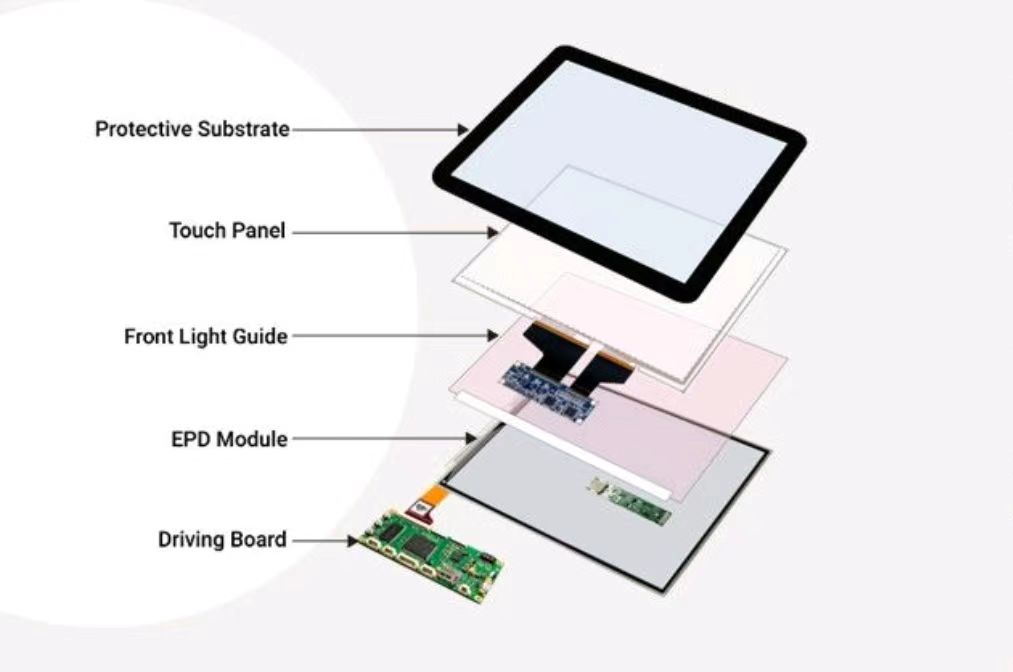
The service life of a complete touch display depends on the PCAP sensor, cover glass, touch controller, LCD or OLED panel, LED backlight, optical bonding materials, FPC, connectors, environmental conditions, and usage patterns.
In this article, we explain the expected lifespan of capacitive touch screens, the factors that affect durability, which component is most likely to reach its end of life first, and how to design a longer-lasting industrial touch display.
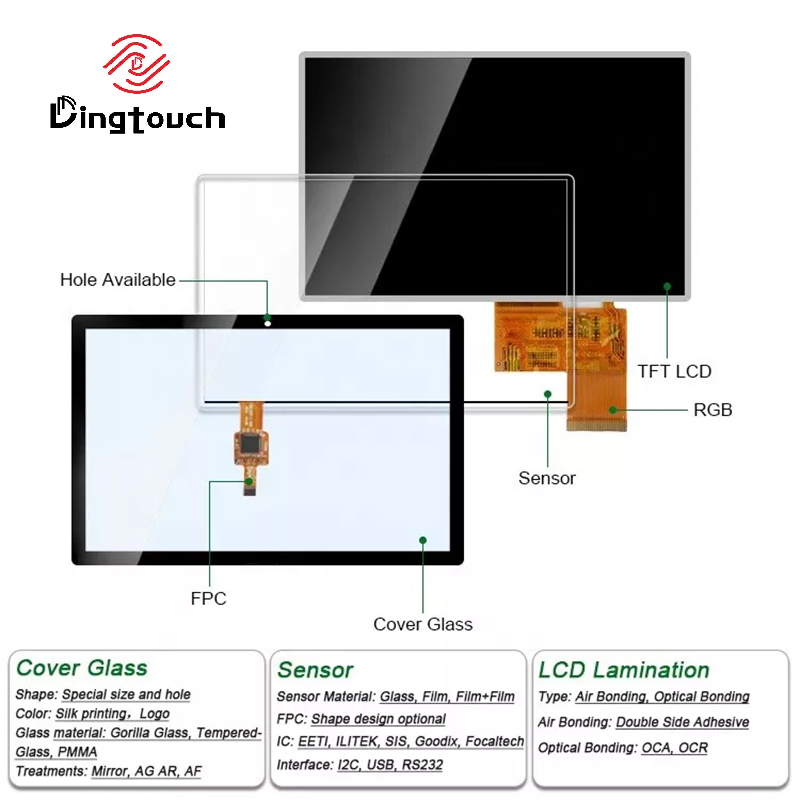 What Determines the Lifespan of a Capacitive Touch Screen?
A capacitive touch screen does not normally stop working simply because it has reached a fixed number of touches.
Instead, the service life of the complete touch display is determined by the reliability of multiple components working together.
The main factors include:
- PCAP touch sensor durability
- Touch controller reliability
- Cover glass strength and surface coating
- LCD/OLED panel lifetime
- LED backlight degradation
- Optical bonding materials
- FPCs and connectors
- Operating temperature
- Humidity and moisture exposure
- UV and sunlight exposure
- ESD and electrical interference
- Mechanical shock and vibration
- Cleaning methods and chemical exposure
In many industrial applications, the PCAP sensor itself can remain functional for longer than the display backlight or other supporting components.
Therefore, when evaluating touch screen lifespan, engineers should consider the lifetime of the entire display assembly, rather than focusing only on touch cycles.
How Long Do Different Touch Screen Components Last?
The actual service life varies by component, design, material, and operating conditions. The following values are typical engineering reference ranges rather than universal guarantees.
| Component | Typical Reference Life | Main Factors Affecting Life |
|---|---|---|
| PCAP Touch Sensor | 50 million+ touch operations* | ESD, moisture, contamination, mechanical damage |
| Cover Glass | Application dependent | Impact, scratches, chemicals, thermal stress |
| LED Backlight | 30,000–50,000+ hours* | Brightness, temperature, drive current, operating time |
| Touch Controller | 10+ years* | Temperature, electrical stress, component quality |
| Optical Bonding | 8–15 years* | UV exposure, temperature, humidity, adhesive aging |
| FPC & Connectors | Application dependent | Bending, vibration, corrosion, thermal cycling |
*Actual lifetime depends on the specific component, design, test method, and operating environment.
This distinction is particularly important for industrial projects. A touch sensor may continue functioning normally while the display backlight gradually loses brightness.
How Many Touches Can a PCAP Touch Screen Handle?
One of the most common questions from engineers and purchasing teams is:
Does frequent touching eventually wear out a capacitive touch screen?
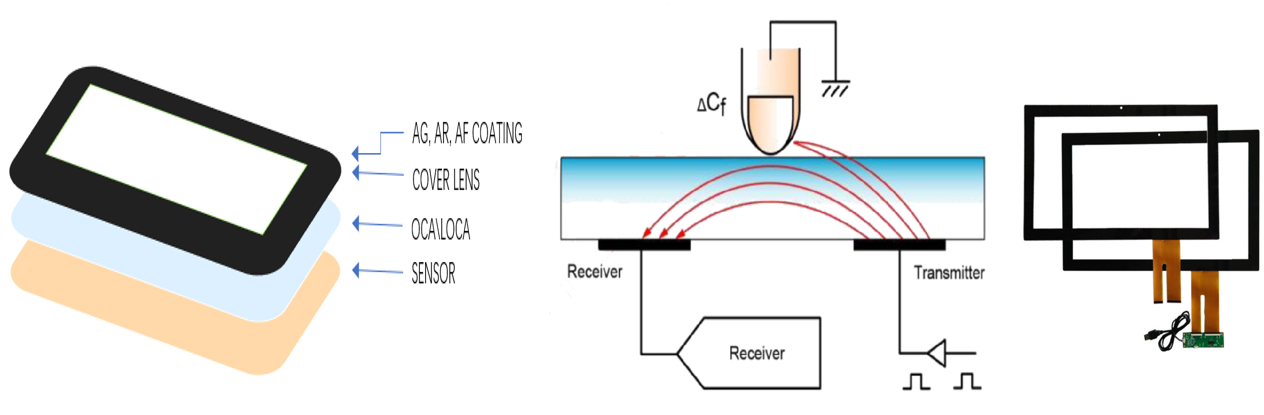
Under normal operating conditions, PCAP technology has very low mechanical wear because it detects changes in capacitance rather than requiring physical pressure to deform a sensing layer.
Industrial PCAP touch screens can be designed and tested to support 50 million or more touch operations, depending on the product specification and validation method.
For many applications, this is far beyond the expected number of user interactions during the system's service life.
However, touch-cycle testing should not be confused with the lifetime of the complete display. The LCD panel, backlight, bonding materials, electronics, and mechanical structure may reach their practical service limits earlier.
How Long Does an Industrial capacitive touch screen Last?
For industrial applications, a properly designed capacitive touch display can provide many years of continuous service, with some systems designed around a 10–15 year lifecycle depending on the application and component selection.
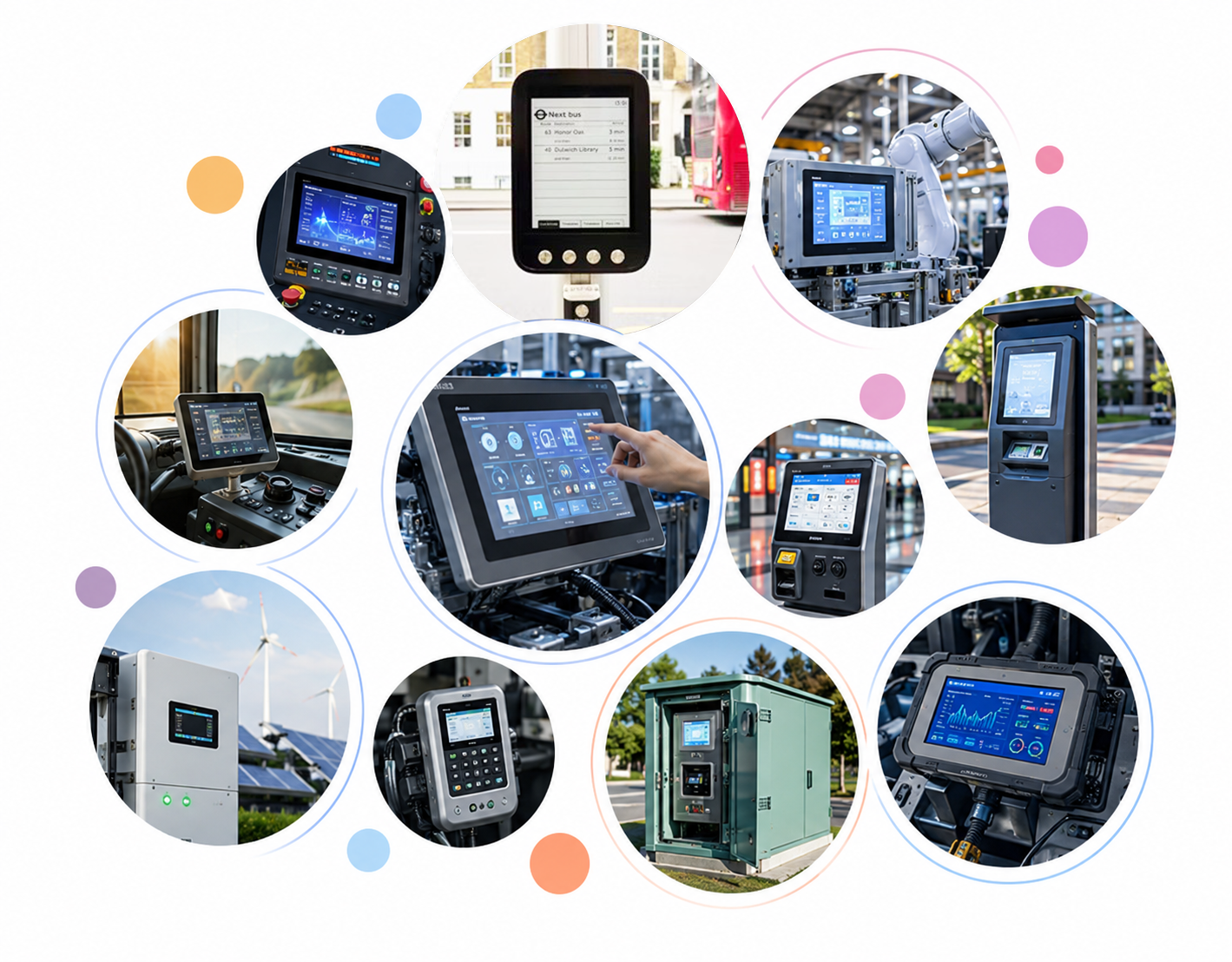
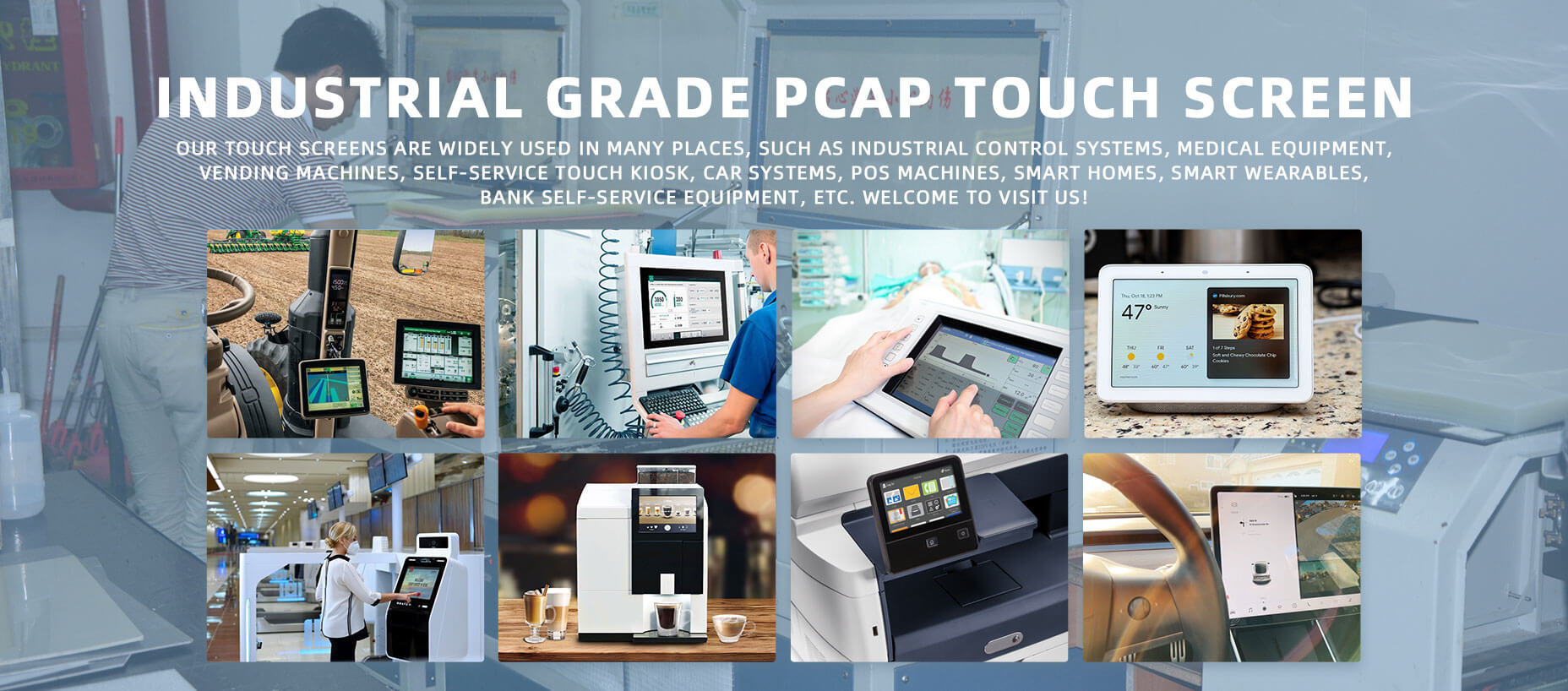
Typical applications include:
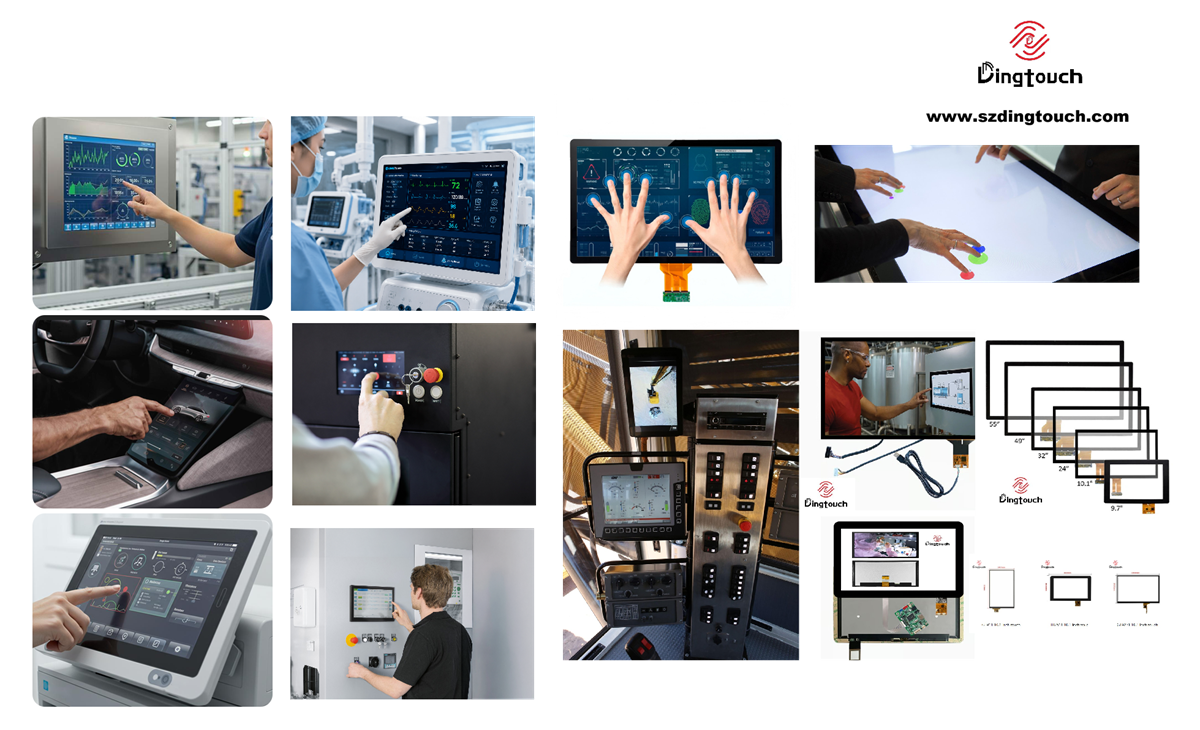
- Industrial automation equipment
- Factory HMI
- Medical equipment
- Transportation systems
- Self-service kiosks
- Outdoor terminals
- Access control systems
- POS and retail equipment
- Embedded control panels
- Smart home and building systems
For 24/7 applications, engineers should evaluate the expected operating hours, temperature range, brightness requirements, humidity, vibration, and electrical environment before selecting a display.
A display operating continuously at high brightness and elevated temperature may have a very different practical lifetime from one operating at moderate brightness in a controlled indoor environment.
What Usually Reaches the End of Life First?
Although PCAP touch screen are often marketed according to their touch-cycle endurance, the touch sensor is not necessarily the first component to fail.
In many industrial display systems, LED backlight degradation is one of the most important factors limiting practical display life.
Over time, LED gradually lose brightness. This process is generally more noticeable in high-brightness displays because they operate at higher LED drive conditions.
Other components can also affect the overall service life:
- Optical adhesives
- FPC
- Connectors
- Touch controller IC
- LCD panels
- Backlight circuits
- Protective coatings
- Sealing structures
For this reason, a reliable industrial display solution should be evaluated as a complete system.
PCAP vs. Other Touch Technologies: Durability Comparison
Different touch technologies have different wear mechanisms and reliability characteristics.
| Touch Technology | Typical Touch Durability | Main Wear or Failure Factors |
| PCAP | 50 million+ operations* | ESD, moisture, electrical interference |
| Resistive | 1–5 million operations* | Mechanical wear, scratches, pressure |
| Infrared (IR) | No physical touch sensor wear | Dust, contamination, LED degradation |
| SAW | High touch durability* | Surface contamination, scratches |
*Values vary significantly by product design, manufacturer, test conditions, and application.
PCAP is particularly attractive for industrial applications because it combines high touch durability, multi-touch capability, excellent optical performance, and a low-wear sensing mechanism.
7 Key Factors That Affect capacitive touch screen Lifespan
The lifespan of a capacitive touch screen is influenced by much more than the number of times it is touched.
1. Operating Temperature
Temperature is one of the most important factors affecting long-term reliability.
High temperatures can accelerate:
- LED degradation
- Adhesive aging
- Electronic component aging
- FPC and connector degradation
- Optical material aging
For outdoor or industrial equipment, selecting a display with an appropriate wide operating temperature range is essential.
Depending on the application, industrial displays may be specified for ranges such as -20°C to +70°C or wider.
2. Humidity and Moisture
High humidity, condensation, and water ingress can negatively affect touch performance and electronic reliability.
Moisture may cause:
- Touch signal instability
- Corrosion
- Electrical leakage
- Optical defects
- FPC or connector failure
For equipment exposed to water, dust, or outdoor conditions, engineers should consider appropriate sealing and protection, including IP-rated designs such as IP65 or IP67, when applicable.
3. Surface Wear and Mechanical Impact
The cover glass is the primary physical protection layer of a touch display.
Although PCAP technology itself requires little physical pressure, the display surface may still be exposed to:
- Scratches
- Impacts
- Abrasion
- Sharp objects
- Excessive mechanical force
For demanding industrial applications, strengthened cover glass, increased glass thickness, anti-scratch coatings, or ruggedized structures can improve durability.
4. Chemical Exposure and Cleaning
Cleaning chemicals can gradually damage surface coatings if they are incompatible with the cover glass or coating system.
Depending on the product specification, strong chemicals or prolonged exposure to solvents may affect:
- Anti-glare coatings
- Anti-fingerprint coatings
- Oleophobic layers
- Printing
- Adhesive materials
Always follow the manufacturer's cleaning recommendations rather than assuming that every alcohol-based or chemical cleaner is suitable.
A safer general practice is to apply an approved cleaning solution to a lint-free cloth rather than spraying liquid directly onto the display.
5. UV and Direct Sunlight
Outdoor displays face additional challenges from UV exposure and solar radiation.
Long-term sunlight exposure can accelerate the aging of:
- Optical adhesives
- Surface coatings
- Plastic components
- Certain display materials
For outdoor applications, engineers should consider high-brightness displays, UV-resistant materials, anti-glare coatings, and appropriate optical bonding solutions.
6. ESD and Electrical Stress
Industrial equipment can experience electrostatic discharge, voltage fluctuations, electromagnetic interference, and other electrical disturbances.
A properly engineered PCAP solution may incorporate appropriate ESD protection, EMI shielding, grounding, and controller design to improve system reliability.
Electrical protection should be evaluated as part of the complete device design rather than treated as a feature of the touch sensor alone.
7. Mechanical Shock and Vibration
Industrial equipment may be exposed to continuous vibration, transportation shock, or mechanical impact.
These conditions can affect:
- FPC connections
- Connectors
- LCD structures
- Optical bonding
- Cover glass
- Internal mounting structures
For transportation, industrial automation, and rugged equipment, mechanical design is therefore just as important as touch sensor performance.
How to Extend the Lifespan of a Capacitive Touch Screen
A long service life begins with selecting the right display for the application.
Choose the Right Industrial-Grade Components
Select components according to the actual operating environment, including:
- Operating temperature
- Display brightness
- Humidity
- UV exposure
- Vibration
- ESD requirements
- IP protection
- Touch method
- Continuous operating hours
Avoid selecting a commercial-grade display simply because it has a lower initial cost if the application requires industrial reliability.
Use Suitable Cover Glass
Depending on the application, options may include:
- Tempered glass
- Chemically strengthened glass
- Anti-scratch glass
- Anti-glare glass
- Anti-fingerprint coatings
- Increased cover-glass thickness
- Ruggedized glass structures
The correct combination depends on the required impact resistance, optical performance, touch sensitivity, and mechanical structure.
Consider Optical Bonding
Optical bonding eliminates the air gap between the display and touch panel by using an optical adhesive.
Compared with a conventional air-gap structure, optical bonding can help:
- Improve sunlight readability
- Reduce internal reflections
- Improve optical clarity
- Reduce the risk of moisture and dust entering the air gap
- Improve structural stability
- Enhance resistance to vibration
For outdoor, transportation, medical, and industrial applications, optical bonding can be an important part of a long-life display design.
Select an Appropriate Brightness Level
Higher brightness is not always better.
For indoor applications, excessive brightness can increase power consumption and thermal load without providing meaningful benefits.
For outdoor applications, however, high brightness may be necessary to maintain readability under direct sunlight.
The ideal brightness should therefore be selected according to the actual environment rather than simply choosing the highest available specification.
Follow Proper Cleaning Procedures
Use cleaning materials approved for the specific cover glass and surface coating.
Avoid aggressive chemicals unless they are explicitly supported by the manufacturer's cleaning specification.
Do not spray liquid directly onto the display. Instead, apply an appropriate amount to a soft, lint-free cloth and clean the surface gently.
DINGTouch: Designing Capacitive Touch Screens for Long-Term Reliability
At DINGTouch, we understand that industrial touch displays need to perform reliably long after installation.
Our customized touch display solutions can be designed around the specific requirements of industrial, medical, transportation, outdoor, and embedded applications.
Depending on the project, available solutions can include:
- Industrial-grade PCAP touch screen
- High-brightness displays
- Wide-temperature displays
- Optical bonding
- Tempered and strengthened cover glass
- Anti-glare and anti-fingerprint coatings
- IP-rated structures
- EMI/ESD protection
- Glove-touch solutions
- Multi-touch solutions
- Customized touch controllers and interfaces
Rather than treating the touch panel as an independent component, DINGTouch focuses on the complete touch display system, including the touch sensor, display panel, cover glass, bonding structure, controller, and mechanical design.
This approach helps customers balance durability, optical performance, touch sensitivity, environmental resistance, and cost according to the actual application.
What Should Engineers Consider When Selecting a Long-Life Touch Display?
Before selecting a capacitive touch screen for an industrial project, consider the following questions:
- How many hours per day will the display operate?
- Will the system run 24/7?
- What is the required operating temperature range?
- Will the display be exposed to direct sunlight?
- Is high brightness required?
- Will users wear gloves?
- Will the display be exposed to water, dust, or oil?
- Is IP65/IP67 protection required?
- Does the application involve vibration or shock?
- Is ESD or EMI protection required?
- What type of cover glass is required?
- Is optical bonding necessary?
- What is the expected product lifecycle?
- Can the backlight or display module be replaced during maintenance?
Answering these questions early can help engineers select a touch display that is better matched to the actual working environment.
Capacitive Touch Screen Lifespan: FAQ
How long does a capacitive touch screen typically last?
There is no single lifespan that applies to every capacitive touch screen. In industrial applications, the PCAP sensor may support tens of millions of touch operations, while the complete display system can be designed for many years of operation. The practical lifespan depends on the display, backlight, controller, bonding materials, environment, and usage conditions.
Does frequent touching wear out a PCAP touch screen?
Normal touch interaction produces very little mechanical wear because PCAP technology detects changes in capacitance rather than relying on mechanical deformation. Environmental conditions such as heat, moisture, UV exposure, ESD, and mechanical impact can have a greater influence on long-term reliability.
Can a PCAP touch screen support 50 million touches?
Many industrial PCAP touch solutions can be designed and tested for 50 million or more touch operations. However, the exact value depends on the sensor structure, test method, controller, cover glass, and manufacturer specification.
What component usually reaches the end of life first?
In many display systems, the LED backlight is one of the components most likely to determine the practical display lifetime because brightness gradually decreases with operating time. Other components, including optical adhesives, FPCs, connectors, and controller electronics, can also affect overall service life.
Can capacitive touch screens be used for 24/7 industrial operation?
Yes. Industrial-grade PCAP touch displays can be designed for continuous operation when the display, touch controller, thermal management, power supply, and mechanical structure are properly matched to the application.
Are capacitive touch screens suitable for outdoor applications?
Yes, but outdoor applications require additional consideration. High brightness, wide-temperature operation, anti-glare treatment, optical bonding, UV-resistant materials, moisture protection, and suitable IP-rated construction may all be required depending on the environment.
Does optical bonding increase touch display durability?
Optical bonding can improve the structural stability of a touch display and reduce the space where dust or moisture can accumulate. It can also improve optical performance by reducing reflections. Its contribution to overall durability depends on the bonding material, process quality, and application environment.
How can I maximize the service life of a PCAP touch screen?
Start by selecting industrial-grade components that match the actual environment. Proper thermal management, suitable cover glass, optical bonding, environmental protection, ESD/EMI design, correct cleaning procedures, and appropriate brightness selection can all contribute to longer service life.
Conclusion: Touch Screen Lifespan Depends on the Whole System
The lifespan of a capacitive touch screen cannot be determined by touch cycles alone.
A high-quality PCAP sensor may support 50 million or more touch operations, but the practical service life of the complete display can ultimately be determined by the LED backlight, operating temperature, optical bonding materials, cover glass, electronics, connectors, and environmental conditions.
For industrial applications, the best strategy is not simply to choose the touch screen with the highest touch-cycle rating. Instead, engineers should select a complete touch display solution designed around the actual operating environment and expected product lifecycle.
With the right combination of PCAP technology, industrial-grade display components, durable cover glass, optical bonding, environmental protection, and reliability engineering, capacitive touch displays can provide stable performance for many years.
DINGTouch provides customized capacitive touch screen and touch display solutions for industrial, medical, transportation, outdoor, HMI, and embedded applications.
Looking for a long-life capacitive touch screen for your next project?
Contact DINGTouch to discuss your display size, brightness, interface, operating temperature, touch requirements, bonding structure, and environmental specifications.
Ready to Build Your Outdoor Display Solution?
Get in touch with us at sales@szdingtouch.com. Our expert engineers will help you design a cost-effective, tailored solution to meet your project’s exact specifications.
DINGTouch:Committed to continuous innovation and improvement of product quality to meet customers' high requirements and expectations.
DINGTouch is a manufacturer that provides high quality touch screen panels. Focus on the design, manufacturing and sales of touch screen panels, and are committed to providing customized solutions that satisfy customers.
DINGTouch: In the process of customizing touch screen panels, we focus on close cooperation and communication with customers. Understanding customers' needs and providing customized solutions will meet customers' individual needs. The company's products are favored by customers for their high quality and reliability, and provide them with the best touchscreen panel solutions.
DINGTouch:Committed to continuous innovation and improvement of product quality to meet customers' high requirements and expectations.
DINGTouch is a manufacturer that provides high quality touch screen panels. Focus on the design, manufacturing and sales of touch screen panels, and are committed to providing customized solutions that satisfy customers.
DINGTouch: In the process of customizing touch screen panels, we focus on close cooperation and communication with customers. Understanding customers' needs and providing customized solutions will meet customers' individual needs. The company's products are favored by customers for their high quality and reliability, and provide them with the best touchscreen panel solutions.
At DINGTOUCH, we are the world's leading touchscreen manufacturer, helping businesses around the world take advantage of this exciting technology. For more information, please visit the home page now.

DINGTouch is a company specializing in the R&D and production of touch screen technology, headquartered in Shenzhen, China. As a professional touch screen supplier, DINGTouch is committed to providing high-quality, stable and reliable touch screen products to meet the diverse needs of customers. We continue to carry out technological innovation and product optimization to ensure that its touch screen products have good sensitivity, accuracy and durability.
In addition to the products themselves, we also focus on cooperation and communication with customers, and are committed to providing customized solutions and excellent after-sales services. Through continuous efforts to improve product quality and customer satisfaction, we have established a good reputation in the touchscreen industry and won widespread market recognition.
In addition to the products themselves, we also focus on cooperation and communication with customers, and are committed to providing customized solutions and excellent after-sales services. Through continuous efforts to improve product quality and customer satisfaction, we have established a good reputation in the touchscreen industry and won widespread market recognition.
What DINGTOUCH can do:
• PCAP maximum size 65”
• Multi-touch (Touch screen can be customized to your needs.)
• Optical bonding service/air bonding
• LCD interface: HDMI/RGB/MIPI/LVDS/EDP, etc.
• PCAP interface: IIC/USB interface
• CTP can customize the cover glass surface treatment process AG (anti-glare), AR (anti-reflection), AF (anti-fingerprint), waterproof, and glove touch
• Supports 0.55 mm-12 mm coverslip touch.
• Support operating temperature: -40℃-90℃.
Dingtouch Industrial Capacitive Touch Screen Manufacturer
In conclusion, Dingtouch as a professional touch screen manufacturer with more than 10 years touch screen experience.We have many capacitive touch screen . Such as 5 inch touch screen,7 inch touch screen,10.1inch touch screen,15 inch touch screen,15.6 inch touch screen,17 inch touch screen,18.5 inch touch screen,19 inch touch screen,21.5 inch touch screen,
CATEGORIES
CONTACT US
Contact: Dingtouch
Phone: +8615815536116
Tel: +8615815536116
Email: sales@szdingtouch.com
Add: Building A, Bailu Plaza, No. 48, Gonghe Industrial Road, Gongle Community, Xixiang Street, Baoan District, Shenzhen,China. 518126
 Dingtouch