News
Multi-Touch vs. Capacitive Touchscreen: What Is the Difference?
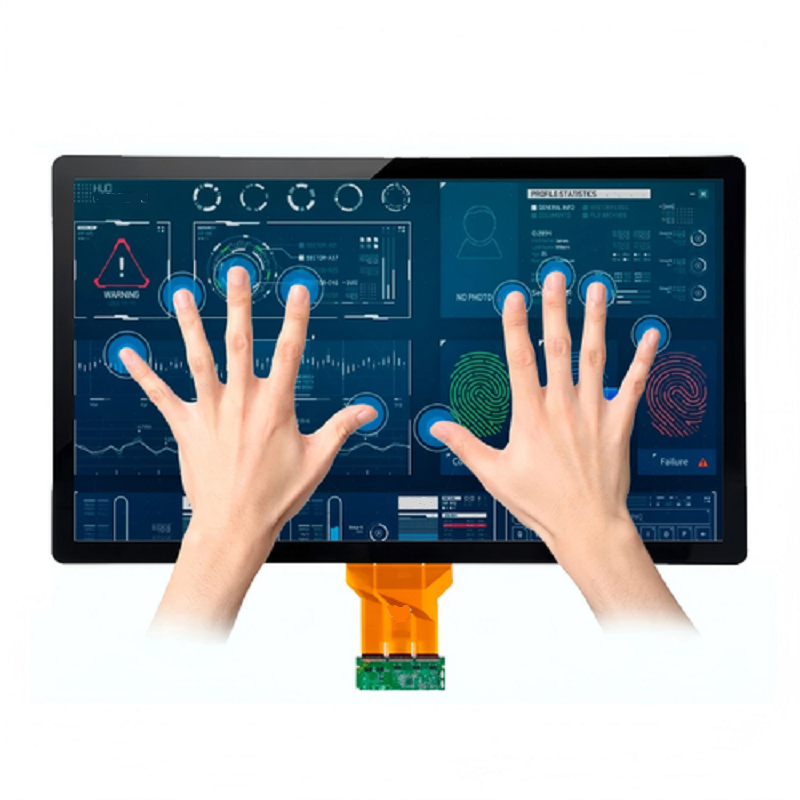
Multi-Touch vs. Capacitive touchscreen: What Is the Difference?
Understanding Touch Technology, Multi-Touch Capabilities, and Industrial Display Integration
Modern touchscreens are more than display panels. They combine visual output with an interactive sensing layer, allowing users to control equipment directly through touch.
In industrial automation, medical equipment, commercial terminals, and consumer electronics, engineers and product developers frequently encounter two terms: capacitive touch and multi-touch.
Although these terms are often used together, they describe different aspects of touchscreen technology.
Capacitive touch refers to the sensing technology used to detect changes in capacitance when a conductive object approaches or contacts the screen. Multi-touch, on the other hand, describes the ability of a touchscreen system to detect and process multiple simultaneous touch points.
Understanding this distinction is essential when selecting a touchscreen for an industrial HMI, medical device, outdoor terminal, or customized touch display project.
At DINGTouch, we develop customized capacitive touchscreens and touch display assemblies for industrial and commercial applications. Understanding the relationship between touch sensing technology and multi-touch performance helps engineers define the right display solution from the beginning.


1. Are Multi-Touch and Capacitive Touch the Same?
No. Multi-touch and capacitive touch are related, but they are not the same concept.
A capacitive touchscreen is a touch-sensing technology. It detects changes in capacitance caused by a conductive object, such as a finger, approaching or touching the screen surface.
Multi-touch is a functional capability. It allows a touchscreen system to detect and process two or more touch points simultaneously.
In simple terms:
-
Capacitive touch describes how a touchscreen detects input.
-
Multi-touch describes how many simultaneous touch inputs it can recognize.
Most modern projected capacitive (PCAP) touchscreen support multi-touch. However, not every capacitive touchscreen is designed to recognize multiple independent touch points.
The actual capability depends on the sensor architecture, touch controller, firmware, and system configuration.
For example, a capacitive touchscreen designed for a simple industrial control panel may support only single-touch input, while a PCAP touchscreen designed for advanced HMI applications may support 5-point, 10-point, or more simultaneous touches.
Therefore, engineers should not assume that a touchscreen supports multi-touch simply because its specification lists capacitive sensing.
2. What Does Multi-Touch Actually Mean?
Multi-touch is a touchscreen function rather than a specific sensing technology.
It allows an interface to recognize multiple simultaneous touch inputs and translate them into gestures or independent control commands.
Common multi-touch gestures include:
-
Pinch-to-zoom
-
Two-finger rotation
-
Multi-finger scrolling
-
Swipe gestures
-
Simultaneous control of multiple interface elements
-
Collaborative interaction on larger displays
For example, a medical display may allow an operator to zoom into an image using two fingers, while an industrial HMI may support simultaneous interaction with multiple interface elements.
However, multi-touch does not define how the touchscreen detects these inputs.
A touchscreen is considered multi-touch when its sensing system and controller can identify multiple independent touch coordinates at the same time.
This capability can be implemented using different sensing principles, including:
-
Projected capacitive sensing
-
Optical sensing
-
Infrared touch detection
The number of supported touch points depends on the system architecture and controller capabilities.
Engineering consideration: Multi-touch performance should be evaluated by the number of simultaneous touch points, coordinate accuracy, tracking stability, response time, and compatibility with the intended operating environment.
3. How Does Capacitive Touch Sensing Work?
Capacitive touch sensing detects changes in an electrical field or capacitance when a conductive object approaches the touchscreen surface.
A typical projected capacitive touchscreen contains a transparent sensor layer with conductive electrodes arranged in a pattern.
When a finger approaches or touches the cover glass, it changes the local capacitive characteristics of the sensor.
The touch controller measures these changes and converts them into touch coordinates.
The system then communicates the detected input to the host device through an interface such as I2C or USB.
The two main capacitive sensing methods are self-capacitance and mutual capacitance.
3.1 Self-Capacitance Touch Sensing
Self-capacitance measures the capacitance between an individual electrode and the system's electrical reference, typically ground.
When a finger approaches the electrode, the measured capacitance changes.
This method can provide high sensitivity and is suitable for applications requiring simple touch input.
Potential applications include:
-
Basic industrial control panels
-
Simple user interfaces
-
Low-cost touch devices
-
Applications with limited gesture requirements
However, self-capacitance has an important limitation.
When multiple fingers touch the screen simultaneously, the system may encounter coordinate ambiguity or ghost-touch problems.
Additional sensing strategies and processing may improve performance, but self-capacitance alone is generally not the preferred architecture for reliable, independent multi-touch tracking across a full touchscreen.
3.2 Mutual-Capacitance Touch Sensing
Mutual capacitance measures the electrical interaction between intersecting sensor electrodes.
A typical PCAP sensor uses transmitting and receiving electrodes arranged in a matrix.
Each intersection forms a sensing node.
When a finger approaches the screen, it changes the capacitance at the affected sensing nodes.
The controller scans the matrix, identifies the changes, and calculates the corresponding touch coordinates.
Because the sensor can evaluate individual intersections, mutual-capacitance sensing is well suited to detecting multiple independent touch points.
It is widely used in:
-
Smartphones and tablets
-
Industrial touch displays
-
Medical equipment interfaces
-
Commercial terminals
-
Large-format interactive displays
Mutual-capacitance PCAP technology provides a strong foundation for multi-touch performance, particularly when accurate coordinate tracking and simultaneous gesture recognition are required.
Important: Multi-touch performance still depends on the complete system, including sensor design, controller capabilities, firmware, cover glass thickness, and electrical noise conditions.
4. Can Resistive touchscreens Support Multi-Touch?
Yes, but conventional resistive touchscreen are primarily designed for single-touch operation.
Traditional four-wire and five-wire resistive touchscreens detect input through physical pressure applied to the touchscreen structure.
They are commonly used in applications where simple touch input, stylus operation, or cost considerations are important.
Some advanced resistive technologies can support multi-touch, but this capability is less common than in projected capacitive systems.
For applications requiring pinch-to-zoom, multi-finger gestures, or simultaneous touch interaction, PCAP is generally the more practical solution.
Resistive touch may still be appropriate for:
-
Basic industrial control interfaces
-
Applications requiring pressure-based input
-
Stylus-oriented interfaces
-
Cost-sensitive equipment
The selection should depend on the actual interaction requirements rather than the touchscreen technology name alone.
5. What Is a Capacitive Multi-touchscreen?
A capacitive multi-touchscreen combines capacitive sensing with the ability to recognize multiple simultaneous touch points.
In a typical PCAP implementation, the touchscreen uses a sensor matrix, a touch controller, and supporting firmware to detect and process multiple independent coordinates.
Unlike a basic single-touch interface, a capacitive multi-touchscreen can recognize gestures such as pinch-to-zoom, rotation, and multi-finger movement.
This makes it suitable for applications requiring more advanced interaction.
How Does It Detect Multiple Touch Points?
The process generally involves four stages:
Step 1: Sensor scanning
The controller scans the capacitive sensor matrix to measure changes in electrical characteristics.
Step 2: Signal processing
The controller analyzes the measured signals to identify potential touch locations.
Step 3: Coordinate calculation
The system calculates the position of each detected touch point.
Step 4: Touch tracking
The controller tracks the detected points and communicates their coordinates to the host system.
The host operating system or application then interprets the coordinates as individual touches or gestures.
Engineering Considerations
Multi-touch performance requires more than simply increasing the number of sensor electrodes.
A well-designed system must balance:
-
Sensor electrode density
-
Touch controller processing capability
-
Coordinate accuracy
-
Response time
-
Electromagnetic interference resistance
-
Cover glass thickness
-
Firmware optimization
-
Manufacturing cost
Increasing sensor density may improve coordinate resolution, but it can also increase sensor complexity, controller requirements, and manufacturing costs.
For industrial applications, the design should be optimized for the required touch performance rather than maximizing the number of touch points without considering the operating environment.
6. Key Specifications of a Capacitive Multi-Touchscreen
When evaluating a PCAP touchscreen for an industrial or medical application, engineers should review the following parameters.
| Parameter | Typical Design Consideration | Engineering Notes |
|---|---|---|
| Simultaneous touch points | 5-point, 10-point, or application-specific | Confirm the controller's actual supported touch count |
| Touch technology | Projected capacitive, typically mutual capacitance | Suitable for independent multi-touch tracking |
| Controller response | Often designed around a 5–15 ms target | Actual performance depends on scanning, processing, and reporting |
| Cover glass hardness | Commonly 6H–9H in relevant designs | Hardness test method and glass specification must be confirmed |
| Optical transmission | Often targeted at ≥80% | Depends on the complete optical stack |
| EMI resistance | Application-specific testing | Requires evaluation of the complete display assembly |
| Touch interface | USB, I2C, or other supported interface | Confirm host compatibility |
| Operating temperature | Application-specific | Verify both display and touch performance |
| Cover glass thickness | Selected according to mechanical requirements | Thick glass requires touch-controller tuning |
These values are general design references rather than universal PCAP specifications.
The appropriate parameters depend on the display size, sensor architecture, controller, cover glass, and application environment.
For customized industrial touch displays, the complete assembly should be evaluated rather than selecting a sensor based on a single specification.
7. Why Mutual-Capacitance PCAP Is the Preferred Multi-Touch Technology
When engineers require reliable multi-touch performance, mutual-capacitance PCAP is generally the preferred sensing architecture.
Its electrode matrix allows the controller to evaluate individual sensing nodes and distinguish multiple touch locations.
This provides several advantages.
7.1 Independent Multi-Finger Tracking
Mutual-capacitance sensing supports the identification of multiple independent touch coordinates.
This enables more reliable multi-finger gestures and simultaneous interface interaction.
7.2 Responsive Touch Interaction
A properly configured PCAP controller can provide fast touch reporting and smooth gesture recognition.
The actual response depends on sensor scanning frequency, signal processing, controller configuration, and host-system latency.
7.3 High Optical Clarity
PCAP sensor layers are designed to be optically transparent.
When integrated correctly, they can maintain good display brightness, contrast, and color performance.
Optical bonding may further improve the perceived image quality by reducing internal reflections between the touch sensor and LCD.
7.4 Durable Sensor Integration
The touch sensor can be integrated beneath a protective cover glass.
This allows the touchscreen to support applications requiring scratch resistance, impact protection, or a sealed front surface.
The complete design may include chemically strengthened glass, optical bonding, and customized surface treatments.
7.5 Flexible Industrial Customization
PCAP technology can be adapted to different display sizes, cover glass designs, touch interfaces, and operating environments.
For industrial applications, the sensor, controller, glass, and firmware should be evaluated as a complete system.
This is particularly important when the touchscreen must operate through thick cover glass, with gloves, under moisture exposure, or in environments with electrical noise.
8. Multi-Touch and Capacitive Touch in Real-World Products
The correct way to understand these terms is through their relationship.
Capacitive touch is the sensing technology.
Multi-touch is the interaction capability provided by a particular implementation.
A capacitive touchscreen can support single-touch or multi-touch operation, depending on its sensor architecture and controller design.
When a capacitive system can reliably distinguish multiple simultaneous touch points, it becomes a capacitive multi-touchscreen.
However, product descriptions do not always clearly distinguish these concepts.
For example:
A datasheet listing only "capacitive touch" may not specify the maximum number of simultaneous touch points.
A product listing "multi-touch" may not identify whether the sensing method is capacitive, optical, or infrared.
A touchscreen advertised as supporting 10-point touch may still require verification of its actual performance under the intended operating conditions.
What Should Engineers Confirm?
Before selecting a touchscreen, verify:
-
The actual sensing technology
-
The maximum number of simultaneous touch points
-
Whether the controller supports independent multi-touch tracking
-
The required communication interface
-
Operating system compatibility
-
Cover glass thickness
-
Glove and wet-touch requirements
-
EMI performance
-
Environmental operating conditions
These details are especially important for industrial OEM projects, where the touchscreen must operate reliably within a specific mechanical and electrical system.
9. Key Performance Factors When Selecting a Touchscreen
Selecting the right touchscreen requires evaluating more than touch technology.
The following factors can directly affect the user experience and system reliability.
9.1 Optical Clarity and Display Quality
PCAP touchscreen can provide excellent optical performance when the sensor and display are properly integrated.
The optical characteristics depend on:
-
Sensor transparency
-
Cover glass thickness
-
Surface treatment
-
Optical bonding
-
LCD brightness
-
Display contrast
A poorly designed optical stack may reduce brightness or introduce reflections.
For outdoor and high-brightness applications, the complete display assembly should be evaluated under the actual lighting conditions.
9.2 Response Time and Touch Sensitivity
Mutual-capacitance PCAP systems are suitable for responsive multi-touch interaction.
However, response time is influenced by more than the sensor itself.
The complete system includes:
-
Sensor scanning
-
Controller processing
-
Firmware filtering
-
Communication interface
-
Operating system reporting
-
Application response
For real-time industrial applications, the total system latency should be considered rather than relying solely on the controller's advertised response time.
9.3 Cost and System Complexity
Simple single-touch panels may be more economical for basic control interfaces.
Multi-touch PCAP systems require more sophisticated sensing and processing, which can increase the cost of the sensor, controller, and integration process.
However, for applications requiring advanced gestures or simultaneous interaction, the additional functionality may justify the investment.
The most cost-effective solution is the one that meets the actual application requirements without unnecessary complexity.
9.4 Environmental Resistance and Durability
Capacitive touch performance can be affected by water, gloves, electrical noise, and changes in the cover glass configuration.
Industrial PCAP systems may incorporate:
-
Wet-touch rejection
-
Glove-touch tuning
-
EMI filtering
-
Sensor shielding
-
Controller firmware optimization
-
Customized cover glass
-
Optical bonding
These features should be evaluated according to the application's actual operating conditions.
A touchscreen designed for a clean indoor environment may not perform identically in an industrial enclosure exposed to moisture, vibration, or electrical interference.
10. How to Select the Right Touchscreen for Your Application
Choosing a touchscreen begins with understanding the application environment and interaction requirements.
10.1 Industrial HMI and Outdoor Terminals
For industrial human-machine interfaces and outdoor terminals, PCAP is a common choice.
The design should consider:
-
Glove-touch requirements
-
Wet-touch performance
-
EMI resistance
-
Cover glass thickness
-
Front-panel sealing
-
Operating temperature
-
Display brightness
-
Mechanical integration
For demanding environments, the controller and sensor should be tuned to the final cover glass and enclosure.
A customized PCAP touchscreen may be required when standard modules cannot meet the project's environmental or mechanical requirements.
10.2 Medical Equipment and Healthcare Displays
Medical equipment often requires a combination of reliable touch interaction, cleanable surfaces, and durable display integration.
PCAP touchscreens can support multi-touch interaction while allowing the use of protective cover glass.
Relevant design considerations include:
-
Operation with medical gloves
-
Resistance to repeated cleaning
-
Cover glass durability
-
Optical clarity
-
Surface treatment
-
Front-panel sealing
-
Touch response consistency
For medical equipment, the touchscreen should be evaluated as part of the complete device interface.
Touchscreen integration alone does not establish medical device compliance. The final system must meet the applicable regulatory and performance requirements.
10.3 Consumer Electronics and Interactive Displays
Consumer electronics commonly use mutual-capacitance PCAP technology because it supports responsive multi-touch gestures and compact sensor integration.
Typical requirements include:
-
Multi-finger gesture support
-
High optical clarity
-
Thin sensor construction
-
Responsive touch reporting
-
Smooth user interaction
For larger interactive displays, engineers should also consider the number of simultaneous users, sensor size, controller capabilities, and host-system performance.
10.4 Cost-Sensitive Single-Touch Applications
For applications requiring only basic touch input, a simpler capacitive or resistive touchscreen may be sufficient.
Examples include:
-
Basic equipment control
-
Simple menu selection
-
Dedicated function buttons
-
Low-cost embedded interfaces
If multi-touch gestures are not required, specifying a high-performance multi-touch system may add unnecessary cost.
The appropriate choice depends on the required interaction rather than the assumption that more touch points always provide a better solution.
11. DINGTouch Engineering Guide: How to Integrate a PCAP Touch Display
For customized industrial touch display projects, the touch sensor should be selected together with the LCD, cover glass, controller, and mechanical structure.
DINGTouch supports customized capacitive touchscreens and touch display assemblies for industrial and commercial applications.
The following considerations help engineers define the system during the early design stage.
11.1 Define the Operating Environment
Start by identifying where the touchscreen will be used.
Important questions include:
-
Is the display installed indoors or outdoors?
-
Will users operate it with gloves?
-
Can water or cleaning liquid contact the surface?
-
Is the equipment exposed to EMI?
-
What operating temperature range is required?
-
Does the application require multi-touch gestures?
These requirements determine the sensor architecture, controller configuration, cover glass, and surface treatment.
11.2 Specify the Cover Glass and Optical Stack
The cover glass directly affects touch sensing and mechanical protection.
Engineers should define:
-
Glass material
-
Glass thickness
-
Dimensions
-
Surface treatment
-
Edge shape
-
Printing requirements
-
Optical bonding requirements
For industrial applications, thicker glass may be required for impact resistance or mechanical protection.
However, increasing glass thickness also increases the distance between the finger and sensor.
The touch controller must therefore be configured for the final glass structure.
DINGTouch can support customized cover glass and touch display integration according to project requirements.
11.3 Select the Touch Controller and Interface
The touch controller should support the required number of simultaneous touch points and the intended host interface.
Common interfaces include:
-
USB
-
I2C
-
RS232, where supported by the selected solution
Engineers should also confirm compatibility with the target operating system.
Typical embedded platforms may include Linux, Android, and Windows.
Controller selection should consider touch reporting, firmware configuration, electrical compatibility, and the final system architecture.
11.4 Optimize EMI Performance and Grounding
Electromagnetic interference can affect capacitive touch sensing.
Noise from motors, switching power supplies, inverters, and other electronic components may cause unstable touch coordinates or false input.
The final system should be evaluated for:
-
Grounding
-
Shielding
-
Sensor routing
-
Controller configuration
-
Power supply noise
-
Enclosure design
-
System-level EMC performance
Proper grounding and electrical integration are particularly important for industrial equipment.
EMI performance should be verified using the final display assembly and host system.
11.5 Validate the Complete Touch Display Assembly
A touchscreen that performs well during initial testing may behave differently after mechanical integration.
The final validation should include:
-
Touch accuracy
-
Multi-touch tracking
-
Response consistency
-
Cover glass performance
-
Glove operation
-
Wet-touch behavior
-
EMI resistance
-
Temperature performance
-
Mechanical stability
Testing should use the final enclosure, cover glass, cables, and operating conditions whenever possible.
For customized projects, early evaluation helps identify potential integration issues before mass production.
12. Which Touchscreen Technology Is Better for Industrial Applications?
The best touchscreen technology depends on the application rather than the terminology alone.
For applications requiring multi-touch gestures, responsive interaction, or advanced user interfaces, projected capacitive multi-touch is generally a strong choice.
For applications requiring simple input, pressure-based operation, or cost-sensitive integration, resistive touch may remain appropriate.
Engineers should evaluate:
-
Operating environment
-
Required touch accuracy
-
Number of simultaneous touch points
-
Glove compatibility
-
Water resistance
-
Cover glass requirements
-
Expected service life
-
System integration requirements
For industrial touch display projects, selecting the correct sensing technology is only the first step.
The final solution must also match the LCD, cover glass, controller, enclosure, and operating environment.
13. Conclusion: Multi-Touch Is a Function, Capacitive Touch Is a Technology
The fundamental relationship is straightforward:
Capacitive touch is a sensing technology. Multi-touch is an interaction capability.
A capacitive touchscreen can support single-touch or multi-touch operation, depending on its sensor design and controller.
Mutual-capacitance PCAP is widely used when reliable independent multi-touch tracking is required.
However, the actual performance depends on the complete touchscreen system, including sensor architecture, controller, firmware, cover glass, electrical integration, and environmental conditions.
For industrial and medical display projects, engineers should confirm both the sensing technology and the number of supported simultaneous touch points.
They should also evaluate the complete system under the intended operating conditions rather than relying on product labels alone.
DINGTouch provides customized capacitive touchscreens, industrial touch display assemblies, cover glass solutions, and optical bonding integration for OEM and ODM projects.
By defining the application requirements early, engineers can select a touchscreen solution that balances touch performance, durability, optical quality, and system integration.
For customized industrial touch display requirements, contact DINGTouch to discuss your project specifications and integration needs.
Frequently Asked Questions
Q1. What is the fundamental difference between capacitive touch and multi-touch?
Capacitive touch describes the sensing technology used to detect input through changes in capacitance.
Multi-touch describes the ability of a touchscreen system to recognize and process multiple simultaneous touch coordinates.
A capacitive touchscreen may support either single-touch or multi-touch operation.
Q2. Why is mutual-capacitance PCAP commonly used for multi-touch applications?
Mutual-capacitance PCAP uses intersecting sensor electrodes to measure changes at individual sensing nodes.
This architecture is well suited to identifying multiple independent touch points and supporting gestures such as pinch-to-zoom and multi-finger movement.
The actual performance depends on the sensor, controller, firmware, and system configuration.
Q3. How can EMI affect multi-touch accuracy in industrial environments?
Electrical noise from motors, inverters, switching power supplies, and other equipment can interfere with capacitive measurements.
This may cause unstable coordinates, missed touches, delayed reporting, or false input.
Proper grounding, shielding, controller configuration, and system-level testing help improve touch stability.
Q4. Is optical bonding necessary for accurate multi-touch performance?
Optical bonding is not mandatory for every multi-touchscreen.
However, it can improve optical clarity, reduce internal reflections, and help create a more robust display assembly.
For applications using thick cover glass or requiring improved mechanical integration, optical bonding may be beneficial.
Touch accuracy still depends on the sensor, controller, cover glass, and system calibration.
Q5. Does a 10-point capacitive touchscreen always support 10 simultaneous users?
Not necessarily.
A 10-point touchscreen typically indicates support for up to 10 simultaneous touch coordinates under the specified operating conditions.
It does not automatically mean that 10 independent users can interact reliably.
Actual performance depends on sensor size, controller capabilities, touch tracking, and application software.
Q6. Can a PCAP touchscreen work with thick cover glass?
Yes, but the cover glass thickness must be considered during sensor and controller selection.
Thicker glass increases the distance between the finger and the sensing electrodes, which can reduce signal strength.
The controller may require sensitivity adjustment, firmware tuning, or a customized sensor design.
The final configuration should be tested with the actual cover glass.
Q7. Can capacitive multi-touchscreens support glove operation?
Yes, depending on the sensor and controller configuration.
Glove performance depends on glove material, thickness, sensor sensitivity, cover glass, and environmental conditions.
Industrial PCAP systems may require customized glove-touch tuning to achieve reliable operation.
Q8. What should engineers specify when requesting a customized PCAP touchscreen?
Engineers should provide:
-
Display size and resolution
-
Required number of simultaneous touch points
-
Touch interface
-
Operating system
-
Cover glass material and thickness
-
Surface treatment
-
Operating temperature
-
Glove and wet-touch requirements
-
EMI conditions
-
Mechanical dimensions
-
Optical bonding requirements
Providing these details helps the manufacturer evaluate the sensor, controller, glass, and display integration requirements.
DINGTouch | Industrial Capacitive Touchscreen & Touch Display Solutions
Website: www.szdingtouch.com
Email: sales@szdingtouch.com
Custom PCAP Touchscreen | Industrial Touch Displays | Cover Glass | Optical Bonding | OEM/ODM Integration
CATEGORIES
CONTACT US
Contact: Dingtouch
Phone: +8615815536116
Tel: +8615815536116
Email: sales@szdingtouch.com
Add: Building A, Bailu Plaza, No. 48, Gonghe Industrial Road, Gongle Community, Xixiang Street, Baoan District, Shenzhen,China. 518126
 Dingtouch