News
FPS, Refresh Rate, and VRR: What Is the Relationship? A Complete Guide to Display Smoothness | DINGTouch Display Technology Insight
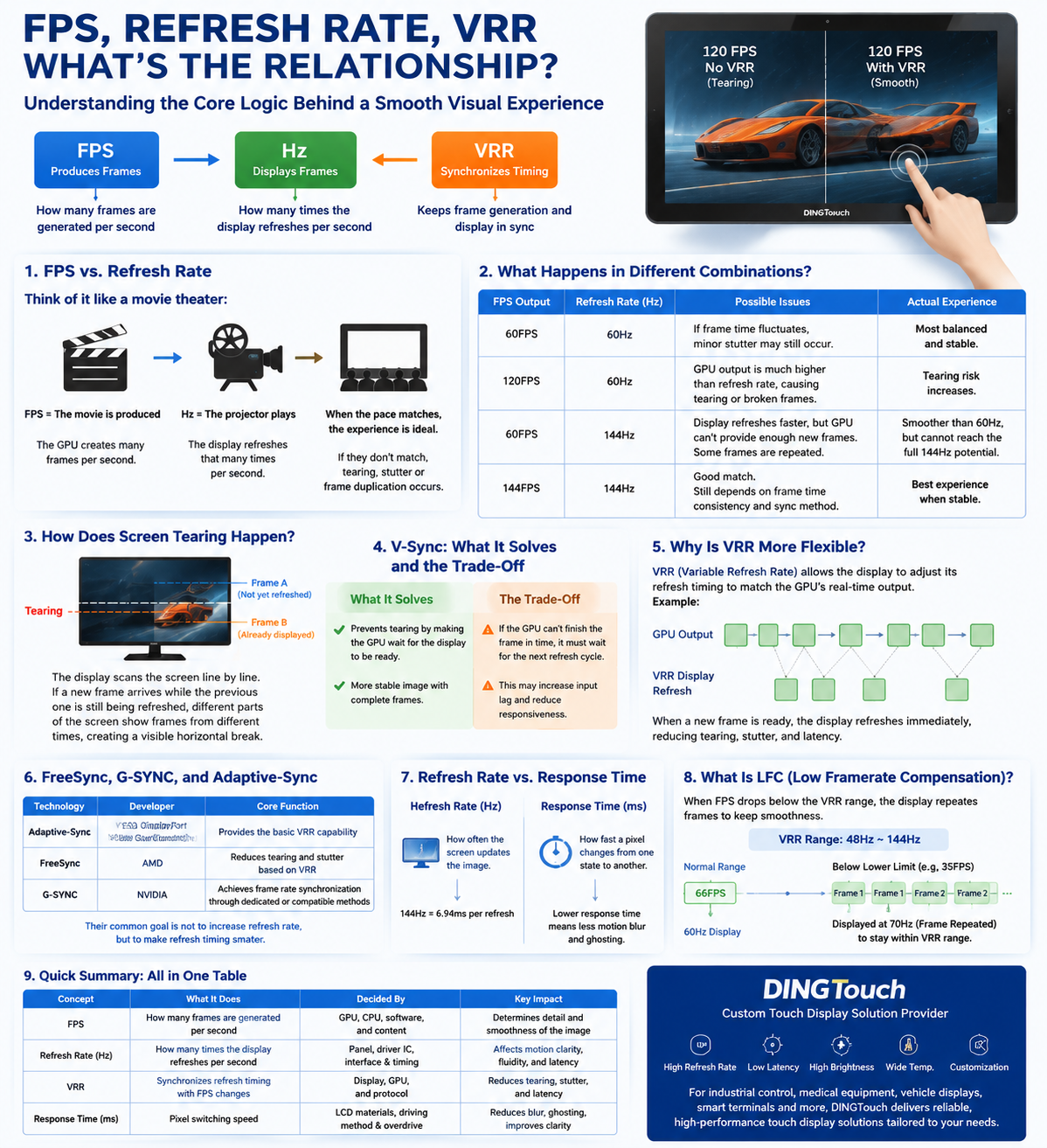
FPS, Refresh Rate, and VRR: What Is the Relationship? A Complete Guide to Display Smoothness | DINGTouch Display Technology Insight
When selecting monitors, industrial displays, gaming screens, or smart terminal displays, users often see parameters such as 60Hz, 120Hz, 144Hz, 240Hz, FPS, FreeSync, G-SYNC, and VRR.
All of these terms are related to display smoothness, but they represent completely different parts of the display process.
Simply put:
- FPS (Frames Per Second) determines how fast images are generated
- Refresh Rate (Hz) determines how fast the display updates images
- VRR (Variable Refresh Rate) synchronizes the timing between image generation and display
The easiest way to remember:
FPS produces the frames, Hz displays the frames, and VRR coordinates the timing between them.
For industrial displays, HMI systems, medical equipment, vehicle displays, and high-performance touch terminals, understanding the relationship between FPS, refresh rate, and VRR helps engineers select the right display solution.
As a professional touch display solution provider, DINGTouch provides customized display solutions including high refresh rate displays, low-latency touch solutions, high-brightness displays, wide-temperature displays, and industrial-grade touch display modules.
1. First Understand the Difference: FPS ≠ Refresh Rate
Many users assume:
“Does a 144Hz monitor need 144FPS to be useful?”
The answer is no.
Although FPS and refresh rate are closely related, they belong to different stages of the display chain.
Think of it like a cinema:
1. GPU/CPU: The Movie Production Team
FPS represents how many new frames the system can generate per second.
Examples:
- 60FPS = 60 frames generated per second
- 120FPS = 120 frames generated per second
- 240FPS = 240 frames generated per second
A higher FPS means the system can create new images faster.
2. Display Panel: The Projector
Refresh rate (Hz) represents how many times the display updates the image per second.
Examples:
| Refresh Rate | Frame Interval |
|---|---|
| 60Hz | About 16.67ms |
| 120Hz | About 8.33ms |
| 144Hz | About 6.94ms |
| 240Hz | About 4.17ms |
A higher refresh rate allows the screen to update more frequently, resulting in smoother motion.
3. Ideal Situation: FPS Matches Refresh Rate
Examples:
| GPU Output | Display Refresh Rate | Result |
|---|---|---|
| 60FPS | 60Hz | Balanced and stable experience |
| 120FPS | 120Hz | Significantly smoother motion |
| 144FPS | 144Hz | Fully utilizes high refresh capability |
| 240FPS | 240Hz | Suitable for competitive gaming and fast motion |
However, in real applications, FPS and refresh rate often do not perfectly match, which creates the need for synchronization technologies.
2. Why Does High FPS Sometimes Still Feel Laggy?
Many users experience this:
“The game shows 120FPS, but the image still feels not smooth.”
The reason:
Average FPS does not fully represent real visual performance. Frame-time consistency is equally important.
For example:
Situation A:
120FPS:
Each frame takes around 8.3ms.
Stable output:
✅ Smooth experience
Situation B:
Average 120FPS:
But:
- Frame 1 takes 5ms
- Frame 2 takes 20ms
- Frame 3 takes 7ms
Although the average FPS is high, unstable frame timing can cause:
- Stuttering
- Inconsistent response
- Uneven motion
Therefore:
A stable 90FPS experience can feel smoother than an unstable 120FPS.
3. How Does Screen Tearing Happen?
Traditional displays refresh images at a fixed frequency.
For example:
A 144Hz display refreshes every:
6.94ms.
However, GPU output speed constantly changes.
At a certain moment:
The display is still showing frame A.
The GPU has already completed frame B.
If the display starts updating before the previous frame is completely finished, the screen may show:
- Top part: Frame A
- Bottom part: Frame B
This creates a horizontal visual break.
This phenomenon is called:
Screen Tearing
The root cause of tearing is not simply a low refresh rate.
The real problem is:
The GPU output timing and display scanning timing are not synchronized.
4. Why Does V-Sync Reduce Tearing but Increase Latency?
Traditional solution:
V-Sync (Vertical Synchronization)
How it works:
The GPU waits until the display is ready before sending the next frame.
Advantages:
✅ Reduces screen tearing
✅ Maintains complete frames
However:
If the GPU cannot finish rendering the next frame in time:
The display must wait for the next refresh cycle.
Possible disadvantages:
- Increased input latency
- Slower response
- Less responsive controls
This is especially noticeable in competitive gaming, where milliseconds matter.
VRR:
Variable Refresh Rate
Traditional displays operate at fixed intervals:
- 60Hz = refresh every 16.67ms
- 144Hz = refresh every 6.94ms
VRR changes this approach.
With VRR:
The display dynamically adjusts its refresh timing according to the GPU's actual frame output.
Examples:
GPU output:
85FPS
Display adjusts:
85Hz
GPU output:
110FPS
Display adjusts:
110Hz
Benefits:
✅ Reduced tearing
✅ Less stuttering
✅ Smoother motion
✅ Better real-time interaction
6. FreeSync, G-SYNC, and Adaptive-Sync: What Are the Differences?
Their goal is essentially the same:
Synchronize GPU output and display refresh timing.
| Technology | Developer | Function |
|---|---|---|
| Adaptive-Sync | DisplayPort standard | Provides basic VRR capability |
| FreeSync | AMD technology | Reduces tearing and stuttering through VRR |
| G-SYNC | NVIDIA technology | Synchronizes GPU and display timing |
Important:
These technologies do not increase refresh rate.
Instead:
They make refresh timing smarter and more adaptive.
7. High Refresh Rate Alone Does Not Guarantee Smoothness
A 240Hz display does not automatically provide a 240Hz experience.
The complete display chain includes:
GPU output
↓
Interface bandwidth (HDMI / DP / eDP)
↓
Display driver IC
↓
LCD/OLED panel response
↓
Touch response speed
Any limitation in the chain can affect the final experience.
Examples:
- Insufficient HDMI bandwidth
- Slow panel response time
- High touch latency
- Limited driver IC performance
All can reduce actual performance.
8. Refresh Rate and Response Time Are Different
This is another common misunderstanding.
Refresh Rate:
Determines:
How often the display updates the image.
Response Time:
Determines:
How quickly pixels can change from one state to another.
Example:
240Hz display:
Each frame lasts only:
4.17ms.
If LCD pixel response is slower than this:
Possible issues:
- Motion blur
- Ghosting
- Image trails
High-refresh displays require:
- Advanced LCD materials
- Optimized driver IC
- Overdrive technology
9. What Is LFC? Why Does It Improve Low FPS Smoothness?
VRR usually has an operating range.
Example:
48Hz–144Hz
If game performance drops:
35FPS
Below the VRR minimum range.
The system uses:
LFC (Low Framerate Compensation)
LFC repeats frames to keep the display operating within the VRR range.
Example:
35FPS → 70Hz display output
Advantages:
- Reduces low-frame stuttering
- Maintains smoother motion
10. How Should FPS, Hz, and VRR Be Selected for Different Applications?
| Application | Main Focus |
|---|---|
| Office Display | Stability, clarity, comfort |
| Industrial HMI | Reliability, lifespan, wide temperature, brightness |
| Medical Display | Color accuracy and stable output |
| Gaming Device | High FPS, high refresh rate, low latency, VRR |
| Vehicle Display | Reliability and environmental adaptability |
| Outdoor Equipment | High brightness, anti-reflection, wide temperature |
For most industrial applications:
60Hz is sufficient.
However, applications such as:
- High-speed monitoring
- Robotics
- Real-time control systems
- Advanced human-machine interaction
can benefit from higher refresh rates and lower latency.
11. Frequently Asked Questions
Q1: Does a 144Hz monitor require 144FPS?
Not necessarily.
Even with lower FPS:
A higher refresh rate can still reduce waiting time and improve responsiveness.
However, stable high FPS is needed to maximize performance.
Q2: Is higher FPS always better?
Not always.
Stability matters.
A consistent 90FPS experience may feel better than an unstable 120FPS.
Q3: Does VRR completely eliminate tearing?
VRR significantly reduces tearing.
However, performance still depends on:
- VRR range
- GPU support
- Driver settings
- Interface compatibility
Q4: Do industrial touch displays need VRR?
Most industrial applications do not require VRR.
Industrial systems focus more on:
- Long-term reliability
- High durability
- Wide operating temperature
- Accurate touch performance
- Long product lifecycle
VRR becomes valuable mainly in:
- Robotics
- High-speed imaging
- Real-time control systems
- Interactive displays
12. Final Summary: Understanding FPS, Hz, and VRR
| Parameter | Function | Influencing Factors |
|---|---|---|
| FPS | How many frames are generated per second | GPU, CPU, software |
| Refresh Rate (Hz) | How many times the display updates per second | Panel, driver IC, interface |
| VRR | Synchronizes frame generation and display timing | Display, GPU, communication protocol |
| Response Time | Pixel switching speed | LCD material, driving technology |
Conclusion: The Future of Display Performance Is System-Level Optimization
A truly excellent display system is not only about achieving:
“Higher refresh rates.”
It requires a complete optimization of:
High FPS output + High refresh rate panel + Fast response time + VRR synchronization + High-performance touch technology
For industrial control systems, medical devices, smart terminals, automotive displays, outdoor equipment, and intelligent manufacturing applications, standard displays are often unable to meet increasingly complex requirements.
DINGTouch specializes in customized touch display solutions, including PCAP capacitive touch screens, TFT LCD touch display modules, high-brightness displays, wide-temperature displays, optical bonding solutions, and industrial-grade display systems.
From display size, interface selection, brightness requirements, touch technology, structural design, to optical enhancement, DINGTouch provides customized solutions to help global industries achieve reliable and intelligent human-machine interaction.
Email: sales@szdingtouch.com
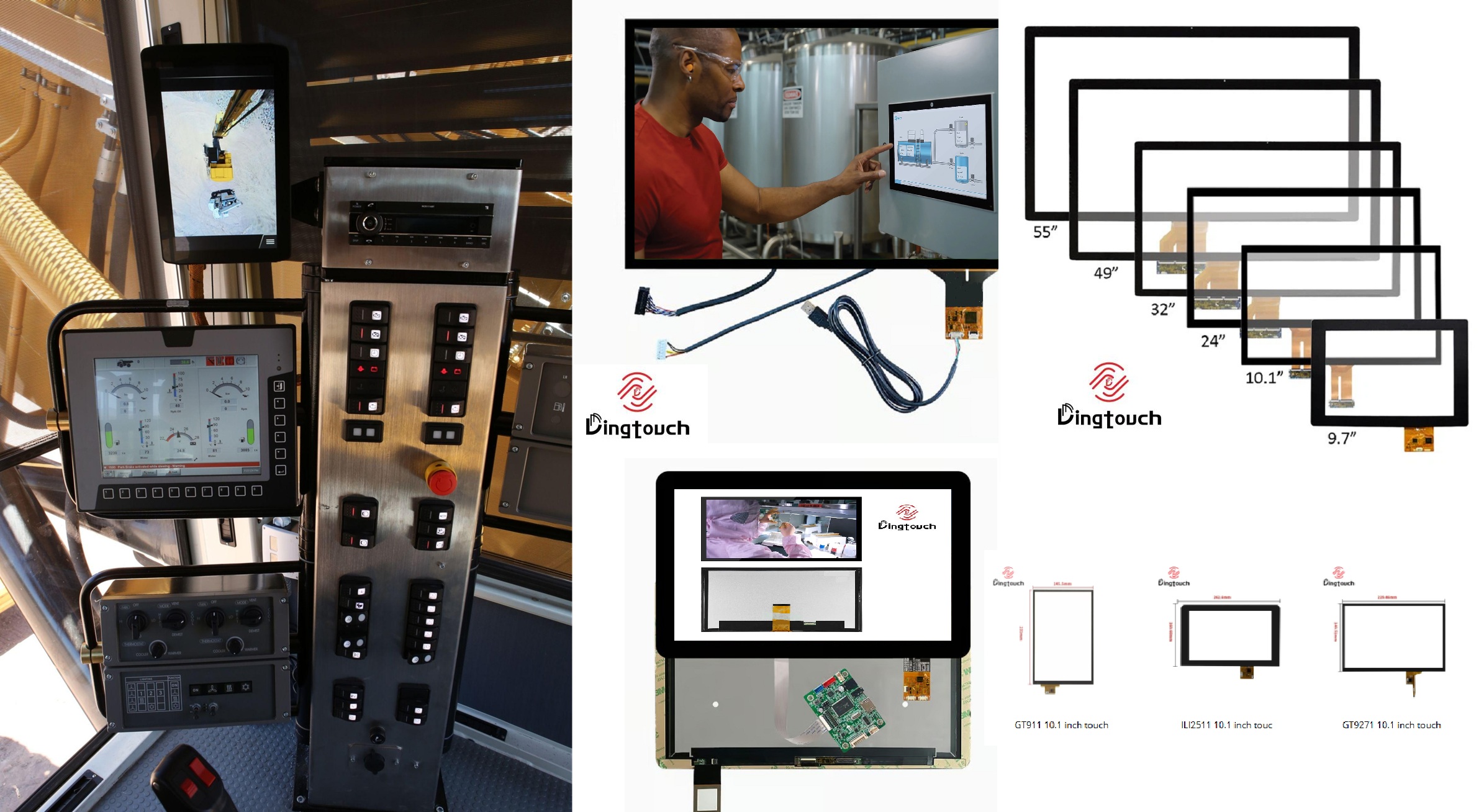



Ready to Build Your Outdoor Display Solution?
Get in touch with us at sales@szdingtouch.com. Our expert engineers will help you design a cost-effective, tailored solution to meet your project’s exact specifications.
DINGTouch:Committed to continuous innovation and improvement of product quality to meet customers' high requirements and expectations.
DINGTouch is a manufacturer that provides high quality touch screen panels. Focus on the design, manufacturing and sales of touch screen panels, and are committed to providing customized solutions that satisfy customers.
DINGTouch: In the process of customizing touch screen panels, we focus on close cooperation and communication with customers. Understanding customers' needs and providing customized solutions will meet customers' individual needs. The company's products are favored by customers for their high quality and reliability, and provide them with the best touchscreen panel solutions.
DINGTouch:Committed to continuous innovation and improvement of product quality to meet customers' high requirements and expectations.
DINGTouch is a manufacturer that provides high quality touch screen panels. Focus on the design, manufacturing and sales of touch screen panels, and are committed to providing customized solutions that satisfy customers.
DINGTouch: In the process of customizing touch screen panels, we focus on close cooperation and communication with customers. Understanding customers' needs and providing customized solutions will meet customers' individual needs. The company's products are favored by customers for their high quality and reliability, and provide them with the best touchscreen panel solutions.
At DINGTOUCH, we are the world's leading touchscreen manufacturer, helping businesses around the world take advantage of this exciting technology. For more information, please visit the home page now.

DINGTouch is a company specializing in the R&D and production of touch screen technology, headquartered in Shenzhen, China. As a professional touch screen supplier, DINGTouch is committed to providing high-quality, stable and reliable touch screen products to meet the diverse needs of customers. We continue to carry out technological innovation and product optimization to ensure that its touch screen products have good sensitivity, accuracy and durability.
In addition to the products themselves, we also focus on cooperation and communication with customers, and are committed to providing customized solutions and excellent after-sales services. Through continuous efforts to improve product quality and customer satisfaction, we have established a good reputation in the touchscreen industry and won widespread market recognition.
In addition to the products themselves, we also focus on cooperation and communication with customers, and are committed to providing customized solutions and excellent after-sales services. Through continuous efforts to improve product quality and customer satisfaction, we have established a good reputation in the touchscreen industry and won widespread market recognition.
What DINGTOUCH can do:
• PCAP maximum size 65”
• Multi-touch (Touch screen can be customized to your needs.)
• Optical bonding service/air bonding
• LCD interface: HDMI/RGB/MIPI/LVDS/EDP, etc.
• PCAP interface: IIC/USB interface
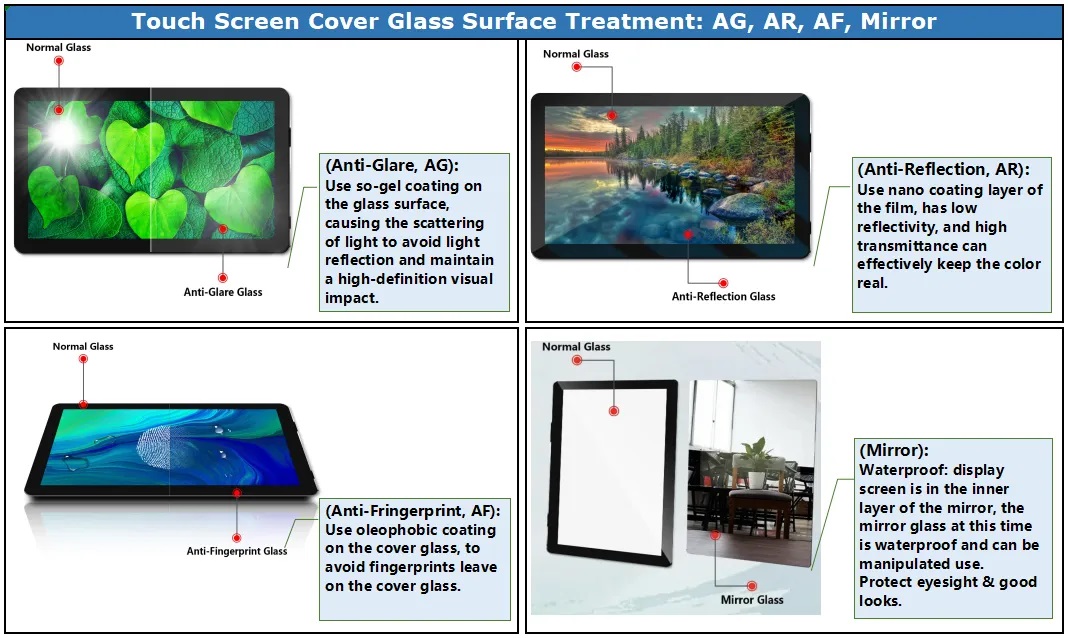
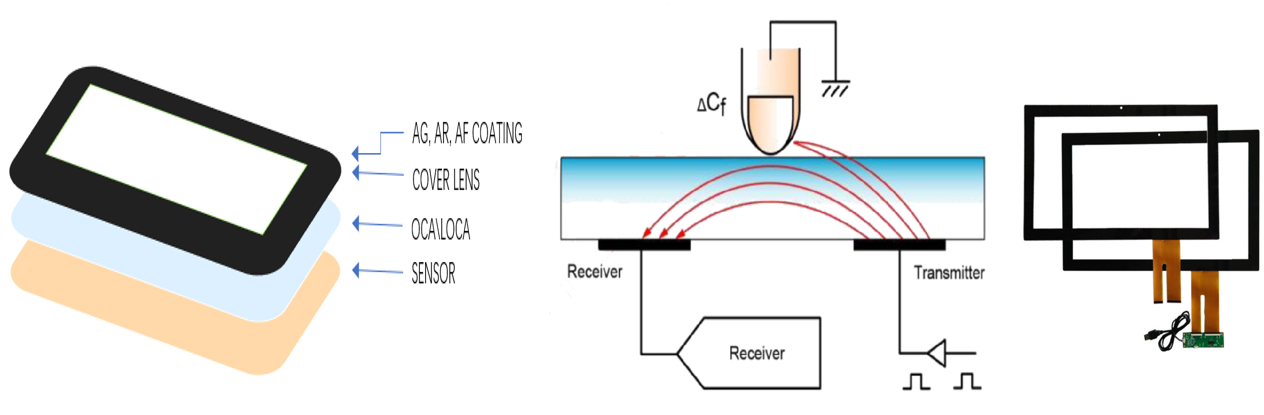
• CTP can customize the cover glass surface treatment process AG (anti-glare), AR (anti-reflection), AF (anti-fingerprint), waterproof, and glove touch
• Supports 0.55 mm-12 mm coverslip touch.
• Support operating temperature: -40℃-90℃.
Dingtouch Industrial capacitive touch screen Manufacturer
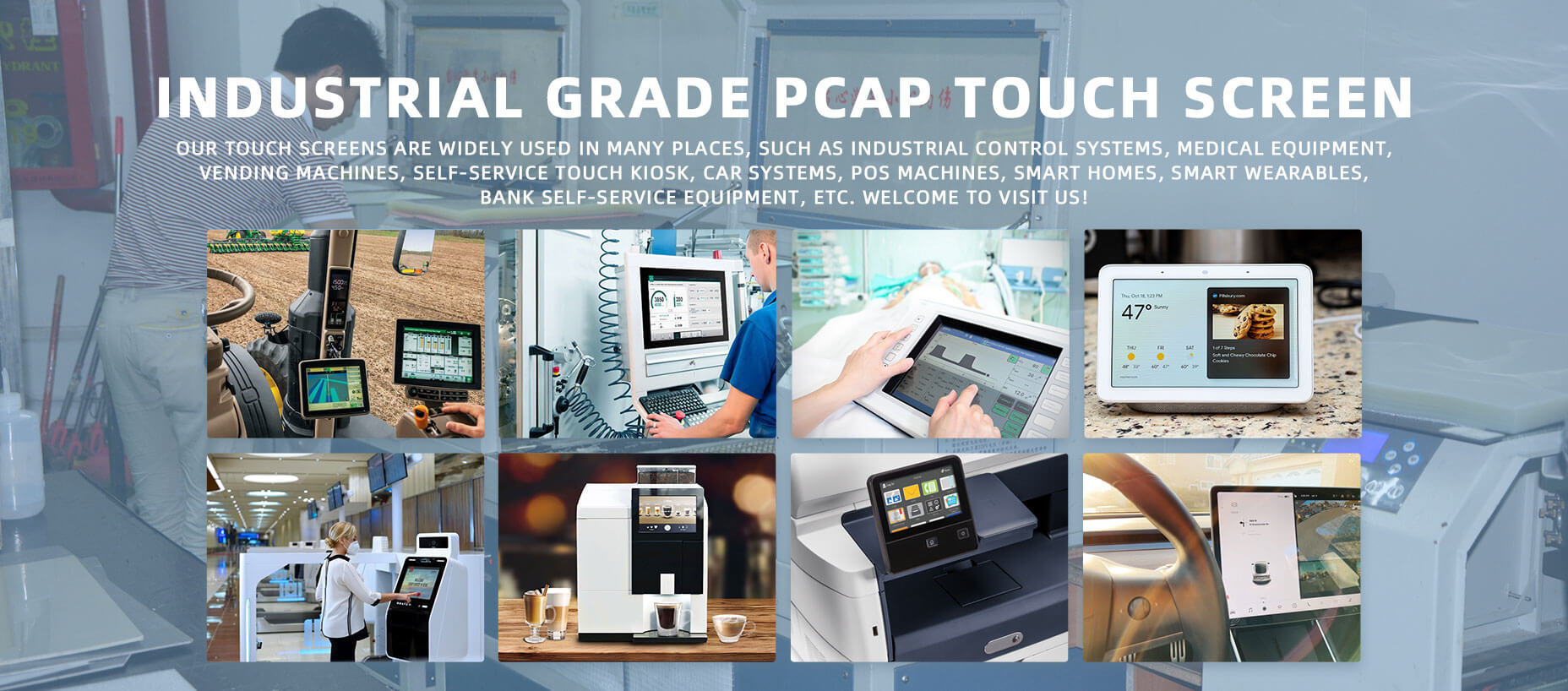
In conclusion, Dingtouch as a professional touch screen manufacturer with more than 10 years touch screen experience.We have many capacitive touch screen . Such as5 inch touch screen,7 inch touch screen,10.1inch touch screen,15 inch touch screen,15.6 inch touch screen,17 inch touch screen,18.5 inch touch screen,19 inch touch screen,21.5 inch touch screen,32 inch touch screen, However, we also welcome to customize your own touch screen . Contact our team today to learn what capacitive touch screen are best for our retail business needs.
Contact us NOW! sales@szdingtouch.com
#Medicaltouchscreencalibration, #capacitivetouchcalibrationguide, #IEC60601touchscreen, #DINGTouchmedicaldisplay, #touchscreenaccuracy, #touchscreen driftfix, #medicalequipmenttouchsolutions, #IP65touchpanel, #IK10medicaltouchscreen, #glove touch medical monitor,#ILITEKTouchControllerICSelectionGuide ,#OCAtoOCR #GT911,#CustomizedWideTemperatureTouchScreenSolutions,#Waterproof Touchscreen,
#highbrightnessLCD, #sunlightreadabledisplay,#industrialLCDbacklight, #outdoor displaymodule, #customLCDsolution, #1000–2000nitsdisplay, #DINGTouchtouchscreen.
#capacitivetouchscreen, #EMI/EMCoptimization, #anti-interferencetechnology, #DINGTouch,#customtouchscreensolutions, #industrialtouchdisplay, #medicaltouch screen, #5Gtouchscreen, #AIanti-interferencealgorithm, #smarttouchdisplay,
DINGTouch — Custom Touch Display Solutions Expert
Every touch, clear and precise, ready for any environment.
CATEGORIES
CONTACT US
Contact: Dingtouch
Phone: +8615815536116
Tel: +8615815536116
Email: sales@szdingtouch.com
Add: Building A, Bailu Plaza, No. 48, Gonghe Industrial Road, Gongle Community, Xixiang Street, Baoan District, Shenzhen,China. 518126
 Dingtouch