News
Consumer-Grade or Industrial-Grade? 4 Steps to Choose the Right LCD and Reduce After-Sales Costs
Consumer-Grade or Industrial-Grade? 4 Steps to Choose the Right LCD and Reduce After-Sales Costs
When selecting an LCD for industrial equipment, outdoor terminals, or HMI systems, many manufacturers face a seemingly simple question:
What is the real difference between a consumer-grade LCD and an industrial-grade LCD?
Some people think:
“As long as the size, resolution, brightness, and interface are similar, they should work the same.”
But after years of working with industrial display projects, we know one thing:
Two screens may look almost identical on a specification sheet, but perform very differently in real-world applications.
We once worked with a customer producing outdoor advertising machines. One batch of equipment was deployed in Northeast China. During winter, when outdoor temperatures dropped below -20°C, the displays experienced black-screen issues.
The customer initially used a conventional consumer-grade display because it was more cost-effective and seemed sufficient for the application.
After reviewing the actual operating conditions, the customer switched to an industrial-grade display solution designed for wider temperature conditions.
The result?
The equipment continued to operate much more reliably through subsequent winters.
The customer later told us:
“If we had selected the display according to the actual operating environment from the beginning, we could have avoided a year of unnecessary after-sales work.”
That is the hidden cost of choosing a display based only on price or basic specifications.
So today, let's break down the differences between consumer-grade and industrial-grade LCDs—and explain how to choose the right display in four practical steps.
1. First, Forget the Misconception: Industrial-Grade Does Not Simply Mean “Higher Specs”
Many people assume that an industrial-grade LCD must have:
- Higher resolution
- More vivid colors
- Higher refresh rates
- Larger screen sizes
But that is not necessarily true.
The biggest difference between consumer-grade and industrial-grade displays is not simply display quality.
It is reliability under demanding operating conditions.
Consumer-grade displays generally focus on:
Display performance + slim design + cost efficiency + mass production
They are suitable for relatively controlled environments such as indoor consumer electronics, office equipment, and commercial devices.
Industrial-grade displays focus more on:
Wide temperature operation + long-term stability + environmental resistance + continuous operation + product lifecycle
Industrial equipment may need to operate under:
- High or low temperatures
- Direct sunlight
- Dust and moisture
- Vibration and mechanical shock
- Electromagnetic interference
- 24/7 continuous operation
In simple terms:
Consumer displays are designed to look good and deliver cost efficiency. Industrial displays are designed to keep working reliably when conditions become difficult.
The correct display grade should therefore be determined by the actual operating environment, not by one specification alone.
2. Six Key Factors That Reveal the Real Difference
01 | Operating Temperature: Can the Display Survive the Environment?
Operating temperature is one of the most important specifications for outdoor and industrial applications.
Many conventional consumer displays are designed for relatively controlled temperature environments.
Industrial LCD, however, can be designed with much wider operating temperature ranges depending on the application.
For example:
-20°C to +70°C
Higher-specification industrial solutions may support:
-30°C to +80°C or even -40°C to +85°C.
This can be critical for:
- Outdoor advertising displays
- Industrial HMIs
- EV charging equipment
- Transportation systems
- Outdoor terminals
- Agricultural equipment
- Industrial control systems
For these applications, wide-temperature capability is not simply a “bonus feature.”
It can determine whether the equipment continues operating normally in extreme weather.
02 | Brightness: Higher Is Not Always Better—It Must Match the Environment
For many indoor applications, a brightness level of around 250–500 cd/m² may be sufficient.
But outdoor equipment faces direct sunlight.
A display may be powered on and functioning correctly, yet the user may still struggle to see the content.
That is why outdoor displays often require higher brightness levels such as:
800 cd/m², 1000 cd/m², 1500 cd/m², or even 2000 cd/m² and above.
However, outdoor readability is not simply about increasing brightness.
It may also require:
- Anti-glare (AG) coating
- Anti-reflective (AR) treatment
- Anti-fingerprint (AF) coating
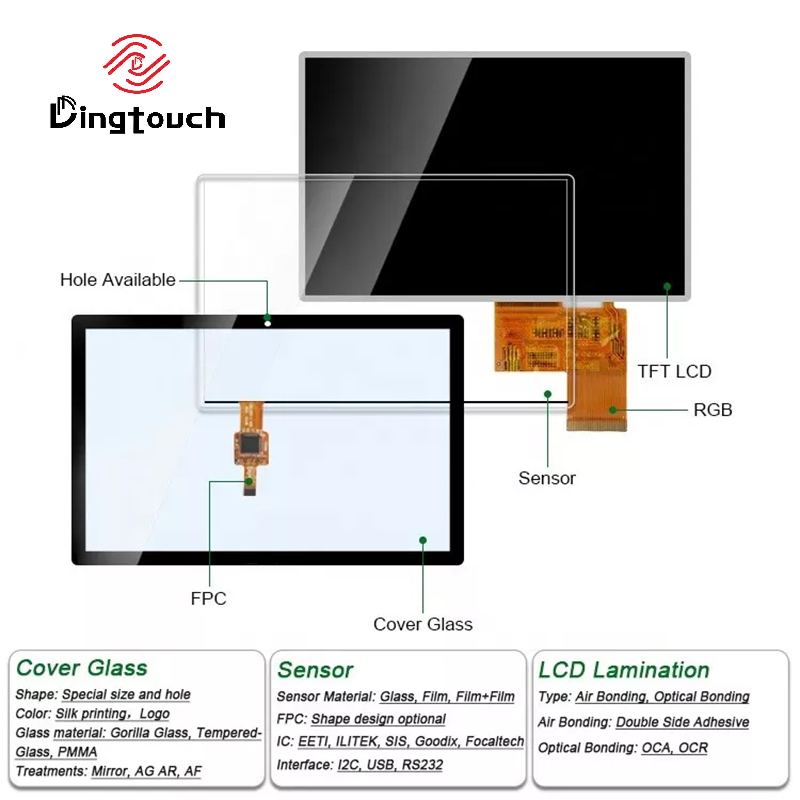
- Optical bonding
- Customized cover glass
These technologies work together to improve readability under strong ambient light.
A good outdoor display solution is an optical system—not simply a high-brightness LCD.
03 | Backlight Lifetime: How Long Can It Run Continuously?
Industrial equipment often operates very differently from consumer devices.
A consumer product may be used for several hours a day.
An industrial machine may need to operate:
24 hours a day, 7 days a week.
Therefore, backlight reliability becomes an important consideration.
Industrial display solutions typically pay closer attention to:
- LED backlight lifetime
- Driver circuit stability
- Thermal management
- Power supply design
- Long-duration aging tests
- Continuous-operation reliability
One important point:
Backlight lifetime should not be confused with the total lifetime of the LCD module.
When evaluating long-term reliability, the LCD, backlight, driver electronics, thermal design, and system environment should all be considered together.
04 | Environmental Resistance: Dust, Moisture, and Vibration Can Become Hidden Failure Points
Consumer displays are generally designed for relatively clean and stable indoor environments.
Industrial equipment often operates under much more demanding conditions.
Depending on the application, the equipment may face:
- Dust
- Oil contamination
- Moisture
- Condensation
- Temperature fluctuations
- Mechanical vibration
- Electromagnetic interference
Therefore, industrial display solutions may require additional protection such as:
IP65/IP67 protection, EMI shielding, vibration resistance, moisture protection, and sealed mechanical structures.
If the display includes a capacitive touchscreen, additional factors may need to be evaluated, including:
- Glove touch
- Wet-finger operation
- Water resistance
- EMI immunity
- Touch stability in noisy electrical environments
In other words:
An industrial display is not simply a more expensive LCD.
It is a solution designed around the complete application environment.
05 | Long-Term Reliability: Can It Keep Working for Years?
Consumer electronics often have relatively short product cycles.
Industrial equipment is different.
Once a machine is deployed, it may need to remain in service for:
5, 8, or even 10+ years.
This means manufacturers need to consider more than whether the display works today.
They should also evaluate:
- Product lifecycle
- Long-term availability
- LCD EOL risks
- Replacement models
- Batch-to-batch consistency
- Long-term quality stability
For industrial projects:
“Available today” does not necessarily mean “available for the next five years.”
Long-term supply planning is part of display reliability.
06 | Supply Stability: What Happens If the LCD Is Discontinued?
Imagine that your equipment has already entered mass production.
Two years later, the LCD manufacturer announces that the panel has been discontinued.
Suddenly, you may need to deal with:
- Mechanical redesign
- New tooling
- Firmware or software adjustments
- New sample testing
- Re-certification
- Production delays
The cost can quickly become much higher than the original display price.
That is why industrial display sourcing should also consider:
How long can this LCD be supplied?
Is there a compatible replacement?
Can the replacement maintain the same mechanical dimensions and interface?
Can the supplier support long-term production?
For long-life industrial equipment, supply continuity is part of product reliability.
3. A Real-World Lesson: Why Saving a Few Dollars Can Cost Much More
We once worked with an industrial HMI project where the customer initially selected a lower-cost conventional display to reduce BOM cost.
The initial calculation looked attractive:
Save a few dollars per display.
But after the equipment was delivered, problems started appearing:
- Display abnormalities in high-temperature environments
- Stability issues after long-term operation
- Reduced touch performance in dusty environments
- Startup display problems in cold regions
- Increasing after-sales service requests
The resulting costs included:
Replacement parts + labor + travel + downtime + customer complaints + project delays
Eventually, the customer realized that the money saved on the original BOM was only a small part of the total project cost.
This is why manufacturers should not ask only:
“How much does this LCD cost?”
A better question is:
“What will this display cost me over the entire product lifecycle?”
That is the value of looking at TCO—Total Cost of Ownership.
4. Four Steps to Choose the Right LCD and Reduce After-Sales Problems
Step 1 | Start With the Application, Not the Price
Ask yourself three questions:
1. Where will the equipment be installed?
Indoor? Outdoor? Factory? Vehicle? Medical environment?
2. How many hours will it operate every day?
Several hours a day? Or 24/7?
3. How demanding is the environment?
Will it face extreme temperatures, dust, moisture, vibration, or direct sunlight?
If the equipment is:
- Used indoors
- Operated at stable temperatures
- Used intermittently
- Designed for a relatively short lifecycle
A consumer-grade solution may be sufficient.
But if the equipment is:
- Used outdoors
- Running continuously
- Exposed to wide temperature variations
- Exposed to dust or moisture
- Required to operate reliably for years
An industrial-grade display solution should be considered.
Step 2 | Don't Just Trust the Words “Industrial Grade”—Check the Datasheet
A supplier calling a display “industrial grade” does not automatically mean it meets your application requirements.
Always check the actual specifications, including:
- Operating Temperature
- Storage Temperature
- Brightness
- Backlight Lifetime
- Contrast Ratio
- Interface
- Touch Performance
- IP Protection
- EMI/EMC Performance
- Mechanical Reliability
- Product Lifecycle
Important specifications should be documented—not simply promised verbally.
And remember:
Industrial grade is not one single specification. It is a combination of reliability and environmental performance requirements.
Step 3 | Calculate Total Cost, Not Just Unit Price
Suppose:
Consumer-grade display = lower initial cost
Industrial-grade display = higher initial cost
Don't make the decision based on unit price alone.
Consider:
Purchase Cost + Replacement Cost + After-Sales Cost + Travel Cost + Downtime Cost + Customer Complaint Cost + Project Delay Cost
Once these factors are included, you may find that:
A higher-priced industrial display can actually deliver a lower total cost over the product lifecycle.
That is the kind of “cost performance” industrial equipment manufacturers should focus on.
Step 4 | Confirm Long-Term Supply Capability
What is one of the biggest risks in an industrial project?
Not necessarily a higher price.
It can be:
The display being discontinued after your equipment has already entered the market.
Before finalizing a display, ask your supplier:
- Can you support long-term supply?
- What is the MOQ?
- What is the typical lead time?
- Can you support buffer stock?
- What is the expected product lifecycle?
- Will EOL notifications be provided in advance?
- Is there a compatible replacement model?
- Can the supplier maintain consistent quality across batches?
For industrial equipment:
Stable supply is just as important as display reliability.
5. Does Every Device Need an Industrial-Grade Display?
Not necessarily.
This is an important point.
Industrial grade is not automatically better for every application.
If your equipment is used:
- Indoors
- At normal room temperatures
- In a relatively clean environment
- For several hours per day
- With a 3–5 year product lifecycle
There may be no need to over-specify the display.
The correct selection logic should be:
Choose the display grade according to the actual operating conditions—not simply because a higher specification sounds better.
Consumer-grade displays are not “bad.”
Industrial-grade displays are not “better at everything.”
The right product is the one that matches the actual requirements of your equipment.
6. Choosing the Wrong Display Affects More Than the Display
When an LCD fails, the impact may extend far beyond the screen itself.
One black screen may mean one service visit.
One touchscreen failure may prevent the customer from operating the equipment.
A batch failure may mean rework across an entire production line.
If the equipment is deployed across different regions or countries, after-sales costs can increase even further.
That is why display selection is not simply a BOM cost decision.
It can affect:
Equipment reliability + project delivery + after-sales costs + customer satisfaction + brand reputation
This is why we always recommend starting with one question:
“What environment will this equipment operate in, and for how many years?”
—not simply:
“How much does this display cost?”
Final Thoughts: Don't Choose a “Close Enough” Display. Choose the Right One.
Consumer-grade or industrial-grade?
The answer is not:
“Industrial grade is always better.”
The real answer is:
“Which display is best suited to your equipment and operating conditions?”
For indoor equipment, there may be no need to over-engineer the display.
For outdoor equipment, brightness, wide-temperature performance, and optical design become critical.
For industrial equipment, long-term operation, environmental resistance, reliability, and supply continuity become much more important.
For demanding applications, you may also need to consider:
PCAP touch, optical bonding, IP protection, EMI shielding, IK protection, glove touch, and long-term supply support.
 DINGTouch: Turning “Close Enough” Into the Right Display Solution
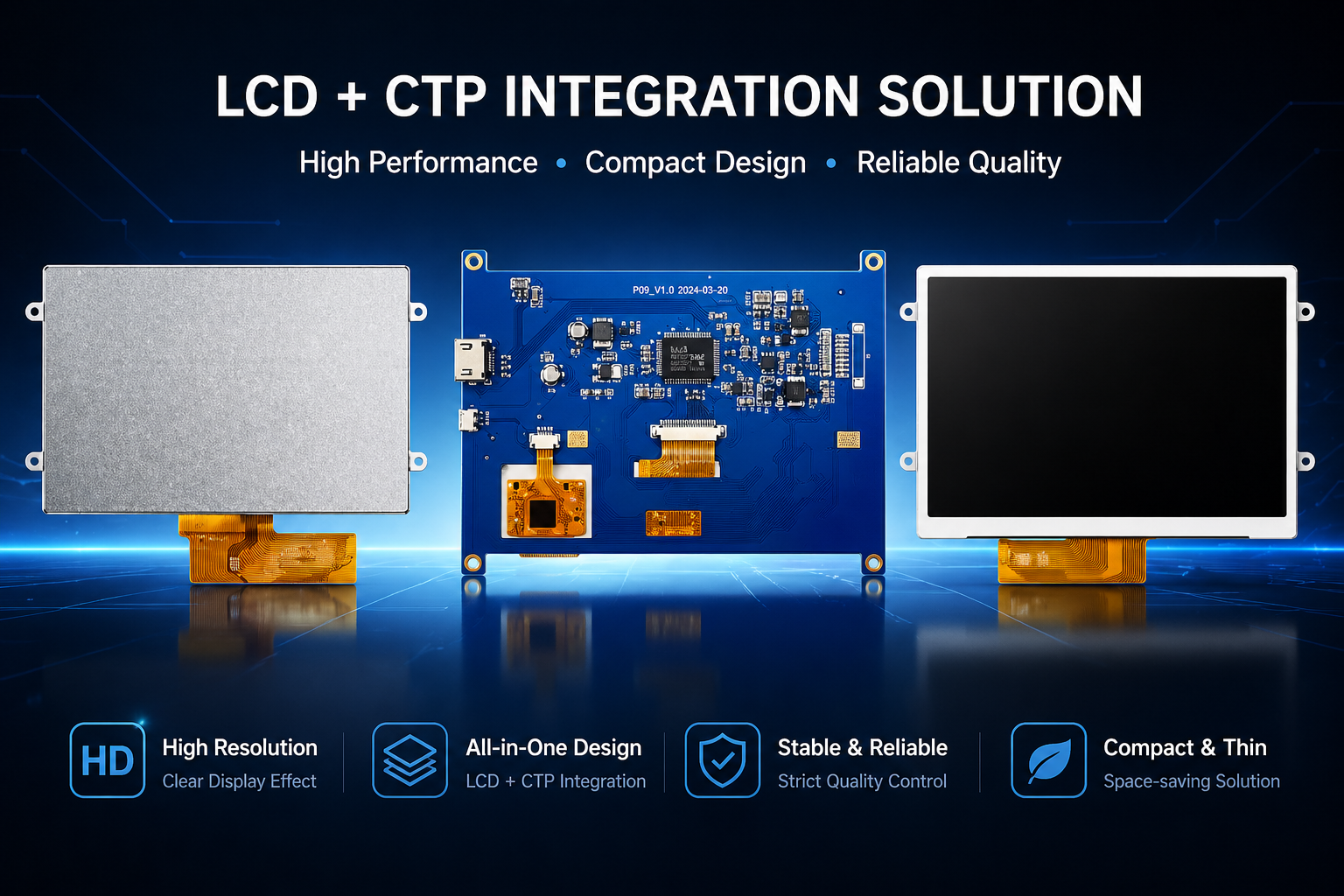
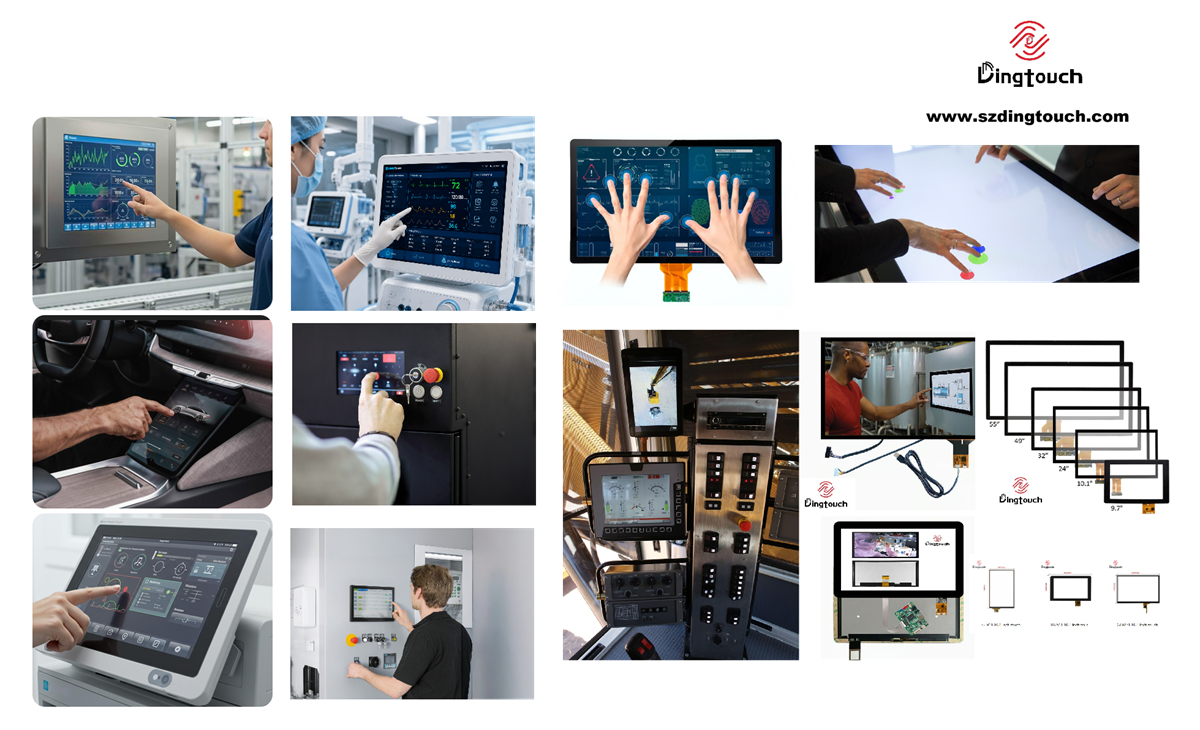
DINGTouch specializes in customized touch and display solutions for industrial and commercial applications.
We provide:
- Custom TFT LCD displays
- PCAP touchscreen
- TP + LCD modules
- High-brightness displays
- Wide-temperature LCD solutions
- Waterproof touch displays
- Optical bonding solutions
- IK-rated touchscreen
- Customized industrial display modules
From requirements analysis and specification definition to prototype validation and mass production, our engineering team works with customers throughout the entire development process.
Because the goal is not simply to provide a display with impressive specifications.
The goal is to provide a display that is:
Right for the environment.
Right for the equipment.
Right for the product lifecycle.
For equipment manufacturers, choosing the right display can mean more than reducing the purchase price.
It can help reduce after-sales costs, replacement risks, downtime, and long-term ownership costs.
So before choosing your next LCD, ask yourself:
“How many years does this display need to keep my equipment running?”
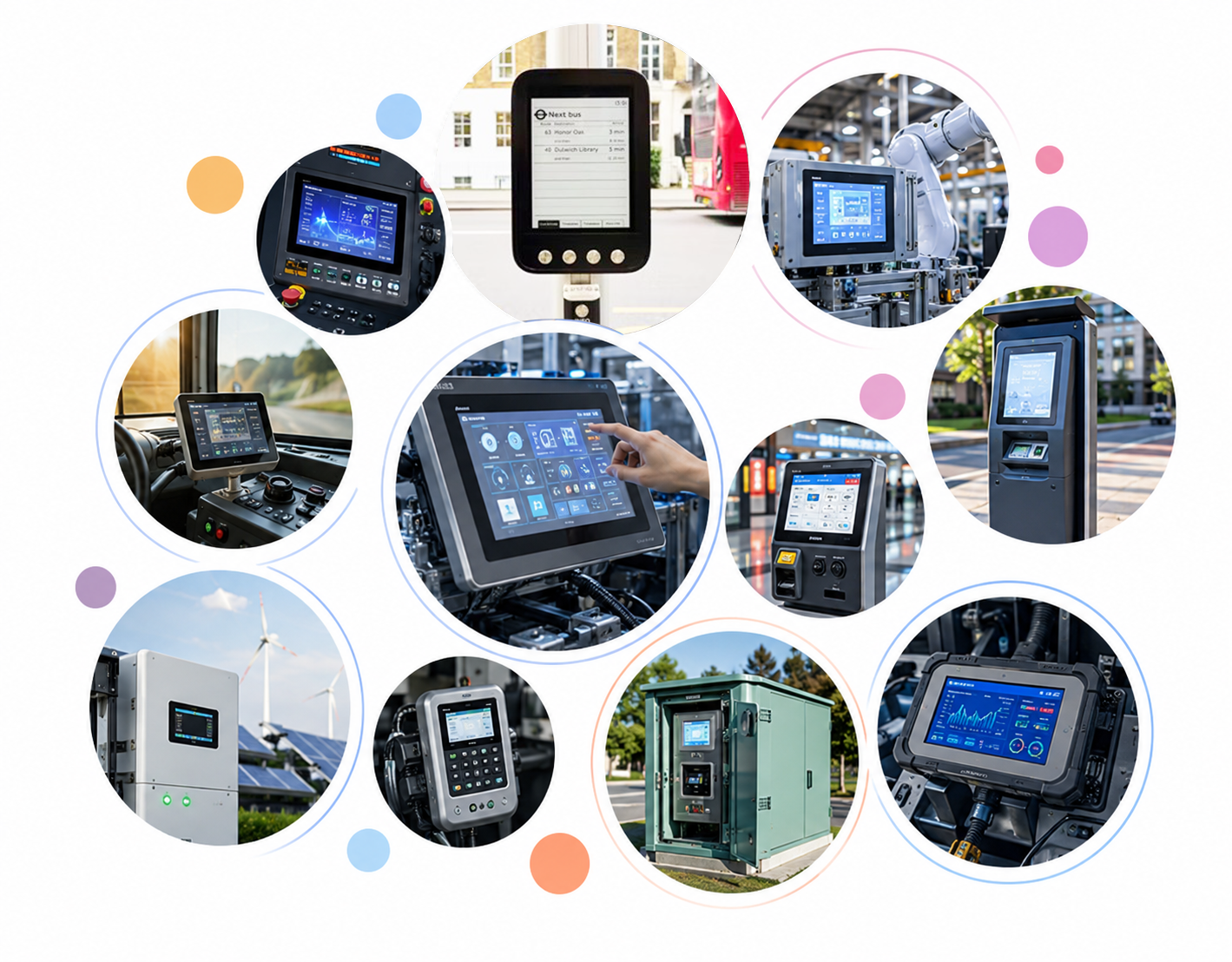
If you're developing an industrial HMI, outdoor terminal, medical device, smart equipment, vehicle display, or other customized display project, talk to the DINGTouch engineering team about your requirements.
Let's turn a “close enough” display selection into a “just right” display solution.
 #IndustrialLCD #ConsumerGradeLCD #IndustrialDisplay #LCDDisplay #LCDModule #DisplaySelection #IndustrialHMI #WideTemperatureLCD #PCAPtouchscreen #TouchDisplay #CustomDisplay #OpticalBonding
CATEGORIES
CONTACT US
Contact: Dingtouch
Phone: +8615815536116
Tel: +8615815536116
Email: sales@szdingtouch.com
Add: Building A, Bailu Plaza, No. 48, Gonghe Industrial Road, Gongle Community, Xixiang Street, Baoan District, Shenzhen,China. 518126
 Dingtouch