News
How EMI Affects PCAP Touchscreen Performance: Causes, Symptoms, and Integration Challenges
How EMI Affects PCAP touchscreen Performance: Causes, Symptoms, and Integration Challenges
Projected capacitive (PCAP) touchscreen are widely used in industrial HMI systems, medical devices, automotive interfaces, handheld instruments, and other electronic equipment that requires accurate and reliable touch interaction.
Under normal operating conditions, a PCAP touchscreen can deliver stable touch detection, fast response, and multi-touch functionality. However, a touchscreen that performs well during initial testing may develop false touches, missed touches, or unstable touch points after being integrated into a complete product.
One possible reason is electromagnetic interference (EMI).
Electrical noise generated by switching power supplies, motors, backlight circuits, high-speed interfaces, and other electronic components can interfere with the touch sensing system. When this interference becomes significant, the touchscreen may struggle to distinguish an actual finger touch from unwanted electrical signals.
Importantly, EMI-related touch instability does not necessarily indicate a defective touchscreen. In many cases, the problem results from the interaction between the touch sensor, Touch IC, power supply, grounding structure, FPC routing, and surrounding electronics.
For OEM engineers and product developers, understanding these interactions is essential when designing a reliable industrial touchscreen system.
In this article, DINGTouch explains how EMI affects projected capacitive touchscreens, where interference originates, what symptoms it can produce, and why touchscreen performance should always be evaluated in the context of the final application.
 1. Why Does EMI Affect Projected Capacitive touchscreen?
1.1 How PCAP touchscreens Detect Finger Touches
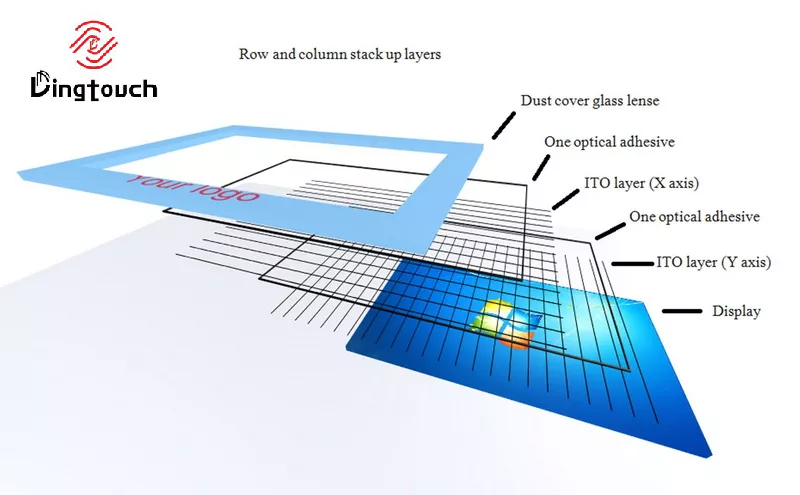
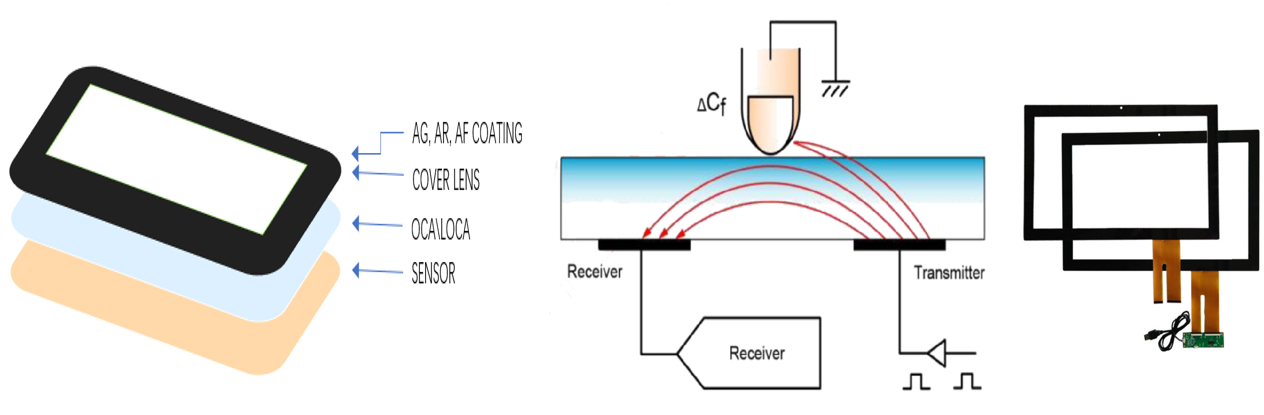
A projected capacitive touchscreen typically consists of a transparent conductive sensor pattern, a touch controller IC, and associated electrical connections.
The sensor contains transmitting and receiving electrodes arranged in a matrix. The Touch IC monitors electrical characteristics across these electrodes and identifies changes associated with a finger approaching or touching the screen.
When a finger interacts with the sensor, it changes the local capacitive coupling between the electrodes. The touch controller measures these changes and uses its detection algorithms to determine the touch position.
The actual touch-related capacitance changes are relatively small. Therefore, the system requires sufficient signal margin to distinguish a genuine finger touch from electrical disturbances.
1.2 How Electrical Noise Interferes with Touch Detection
EMI introduces unwanted electrical signals into the touch sensing system.
Depending on the interference frequency, amplitude, coupling path, and touch controller design, this noise may affect the measured sensor signal or reduce the reliability of the touch detection process.
A simplified explanation is:
Actual touch signal + electrical interference → reduced signal-to-noise ratio → less reliable touch detection
When the interference becomes significant compared with the useful touch signal, the controller may have difficulty identifying whether a measured change comes from a finger or an external electrical disturbance.
This does not always result in a complete touchscreen failure. EMI-related problems are often intermittent and may only appear under particular operating conditions.
For example, a touchscreen may operate normally when the equipment is powered on but become unstable when:
-
A motor starts or changes operating speed.
-
A relay switches.
-
The LED backlight changes brightness.
-
A DC/DC converter enters a different operating mode.
-
A wireless module begins transmitting.
-
Another high-power circuit becomes active.
The timing and operating conditions of the failure can provide valuable clues during troubleshooting.
1.3 Why EMI Performance Is a System-Level Issue
A PCAP touchscreen should not be evaluated solely by its sensor structure or Touch IC specifications.
The final touch performance also depends on the electrical environment created by the host equipment.
A touchscreen with adequate noise immunity in a controlled test environment may require additional engineering when installed next to switching power supplies, motors, high-speed interfaces, or other electrically noisy components.
For industrial OEM projects, EMI compatibility should therefore be considered during display and touch integration rather than only after the complete product has been assembled.
2. What Are the Common EMI Sources in Industrial touchscreen Systems?
The source of interference is often located outside the touchscreen assembly itself.
Industrial equipment, medical devices, and embedded electronic products may contain several components that generate electrical noise during normal operation.
| EMI source | Potential impact on PCAP touchscreens |
|---|---|
| DC/DC converters | Switching noise may couple into touch circuits, power lines, or ground connections |
| Motors and motor drives | Switching currents and electrical transients may create conducted or radiated interference |
| Relays and solenoids | Switching events can generate transient disturbances |
| LED backlight circuits | Switching regulators and current-control circuits may introduce noise near the display assembly |
| High-speed interfaces | Fast signal transitions can couple into nearby touch sensor or FPC traces |
| Power supplies | Conducted noise may enter through power and ground connections |
| Wireless modules | RF energy may create interference depending on frequency, power, placement, and system susceptibility |
| Poor grounding and PCB layout | Uncontrolled current paths and inadequate return paths can increase noise coupling or susceptibility |
The actual interference environment depends heavily on the application.
For example, an industrial HMI installed near a motor drive may experience a different electrical environment from a medical handheld instrument powered by a battery.
A touchscreen that performs reliably in one application cannot automatically be expected to behave identically in another.
This is why DINGTouch recommends evaluating touchscreen EMI performance according to the operating conditions and electrical architecture of the customer's complete equipment.
3. How Can EMI Enter a PCAP touchscreen System?
EMI can reach the touch system through several coupling mechanisms. The most common include conducted interference, radiated interference, and capacitive or inductive coupling.
3.1 Conducted Interference Through Power, Ground, and Signal Connections
Conducted interference travels through electrical connections rather than through the air.
Potential paths include:
-
Power supply lines
-
Ground connections
-
Signal lines
-
Flexible printed circuits (FPC)
-
Display and touch connectors
-
Shared PCB power or ground networks
For example, switching noise generated by a DC/DC converter may enter a display assembly through its power or ground connection.
If the disturbance reaches the touch sensing electronics, it may interfere with the detection of small capacitance changes.
The source and the affected touchscreen do not necessarily need to be directly adjacent. A noise source located elsewhere in the equipment can still affect touch performance if the system provides an electrical coupling path.
3.2 Radiated Interference From Nearby Electronic Components
Radiated EMI does not require a direct electrical connection.
Motors, wireless modules, high-current switching circuits, and other electronic components can generate electromagnetic fields that interact with nearby circuits.
A touch sensor, FPC, or touch controller located close to the interference source may therefore experience a higher level of electrical disturbance.
The physical arrangement of the equipment becomes particularly important.
Factors such as the distance between the touchscreen and noise source, cable routing, enclosure design, and component placement can all influence the final interference environment.
3.3 Capacitive and Inductive Coupling Between Circuits
Adjacent electronic circuits can interfere with each other through electric or magnetic coupling.
For example, a high-speed signal routed close to a sensitive touch-related trace may introduce unwanted electrical noise into the touch system.
Similarly, power switching paths carrying rapidly changing currents may generate magnetic fields that couple into nearby circuits.
The resulting interference depends on factors such as:
-
Trace spacing and parallel routing length
-
Signal transition speed
-
Switching current and current-loop area
-
Ground reference continuity
-
FPC construction and routing
-
Distance between noise sources and sensitive touch circuits
This means that EMI performance is influenced not only by the Touch IC but also by sensor design, FPC routing, grounding, shielding, connector configuration, and the surrounding electronics.
4. What Are the Typical EMI-Related touchscreen Failure Symptoms?
EMI-related touch problems can appear in several forms. Some are obvious, while others occur only under specific operating conditions.
| touchscreen symptom | Possible EMI-related explanation |
|---|---|
| False touches or ghost touches | Electrical noise is incorrectly interpreted as a touch signal |
| Missed touches | Interference reduces the reliability of actual touch detection |
| Unstable touch points | Changing noise levels interfere with coordinate detection |
| Touch becomes unstable when a motor starts | Transient or switching interference from the motor system |
| Edge touch becomes unreliable | Certain sensor regions may have less available signal margin under the specific integration conditions |
| Touch works before system assembly but fails afterward | Grounding, routing, shielding, or nearby electronics have changed |
| Touch behavior changes with different power supplies | Conducted noise or different grounding conditions may be affecting the touch system |
| Touch performance changes with backlight brightness | Backlight switching or power regulation may be introducing interference |
These symptoms can indicate EMI, but they do not prove that EMI is the cause.
Unstable touch detection can also result from water on the cover glass, inappropriate glove conditions, mechanical stress, firmware tuning, grounding issues, sensor design limitations, or other factors.
Therefore, troubleshooting should consider the complete touch system and the operating conditions under which the failure occurs.
A Useful Troubleshooting Clue: When Does the Touch Problem Occur?
The timing of a failure can help narrow down its potential cause.
For example:
-
If touch becomes unstable immediately after a motor starts, investigate motor switching, power distribution, and grounding.
-
If the problem occurs when the backlight brightness changes, examine the backlight power circuit and its electrical coupling with the touch system.
-
If the touchscreen becomes unstable only after installation in a metal enclosure, review the grounding structure, sensor-to-enclosure relationship, and final mechanical integration.
-
If the problem appears only with a particular power adapter, compare its conducted noise characteristics and grounding conditions.
These observations do not replace electrical testing, but they can help engineers identify where to begin.
5. Why Does a Touchscreen Work on the Test Bench but Fail After Integration?
One of the most confusing situations in touchscreen development is when a display and touch assembly performs correctly during initial testing but becomes unstable after installation in the final equipment.
The difference may be the electrical environment.
5.1 Standalone Testing and Final System Integration Are Different
A simplified bench test may consist of:
TFT LCD + PCAP touchscreen + simple power supply
The final product may contain:
TFT LCD + PCAP touchscreen + main control board + DC/DC converters + backlight + motors + relays + cables + metal enclosure + additional electronic circuits
Once these components are assembled, the touch system is exposed to different noise sources, grounding paths, cable arrangements, and electromagnetic conditions.
The original test environment may not reproduce the interference generated by the final equipment.
5.2 Mechanical Integration Can Change EMI Conditions
Mechanical integration is not only about mounting the touchscreen securely.
The position of the FPC, proximity of other circuit boards, enclosure material, and final grounding structure can all affect touch performance.
For example, a metal enclosure may provide an effective shielding structure when properly designed and grounded. However, unintended electrical connections, poorly controlled grounding paths, or changes in sensor-to-enclosure spacing may also alter the touch system's electrical behavior.
The result depends on the complete design rather than on the enclosure material alone.
5.3 Touchscreen Compatibility Must Be Evaluated in the Final Application
Passing a standalone touchscreen test does not necessarily guarantee stable operation in the final product.
The more useful engineering question is not simply:
Does the touchscreen work?
It is:
Does the touchscreen remain stable under the electrical, mechanical, and environmental conditions of the actual application?
For industrial and other electrically complex applications, this distinction can be particularly important.
A reliable integration process should therefore evaluate touch behavior with the final power supply, controller board, backlight, enclosure, and relevant operating loads in place.

 6. How Can OEM Engineers Identify EMI-Related Touch Problems?
When touchscreen instability occurs, the first step is to reproduce the problem under controlled conditions.
Instead of changing several design parameters at once, engineers should compare the touchscreen's behavior across different operating states.
A practical diagnostic approach includes:
Step 1: Establish a stable baseline
Test the touchscreen with a known power supply and a controlled configuration. Record whether false touches, missed touches, or unstable coordinates occur.
Step 2: Activate suspected interference sources individually
Switch motors, relays, backlight circuits, wireless modules, and other suspected noise sources on and off while observing touch behavior.
Step 3: Compare power supply and grounding conditions
Evaluate whether the problem changes when the power supply, grounding arrangement, or cable configuration is changed.
Step 4: Review the physical integration
Inspect FPC routing, connector placement, sensor positioning, nearby switching circuits, and the relationship between the touchscreen and the enclosure.
Step 5: Validate the complete system
Repeat the test with the final mechanical structure and electrical configuration rather than relying only on a standalone touchscreen evaluation.
This approach helps distinguish EMI-related instability from other touch performance issues and provides a more useful starting point for engineering optimization.
7. How DINGTouch Supports EMI-Sensitive Touchscreen Integration
For OEM and ODM projects, touchscreen EMI performance is closely related to the design of the complete display and touch assembly.
DINGTouch provides industrial touch display customization and integration support for applications that require stable touch detection under demanding operating conditions.
Depending on the project requirements, engineering considerations may include:
-
Touch sensor selection and tuning: Selecting an appropriate PCAP sensor structure and Touch IC according to cover glass thickness, touch area, operating environment, and host system requirements.
-
FPC and connector optimization: Reviewing routing, connector placement, and the electrical interface between the touchscreen and the main control board.
-
Display and touch integration: Evaluating the relationship between the TFT LCD, backlight circuit, touch sensor, and touch controller.
-
Grounding and shielding considerations: Reviewing system grounding, shielding structures, and potential coupling paths as part of the complete equipment design.
-
Application-specific testing: Evaluating touch stability under representative operating conditions, including relevant switching loads, power supply configurations, and mechanical integration.
The appropriate solution depends on the actual interference source and system architecture.
For example, a project affected by conducted power noise may require a different approach from a project experiencing radiated interference from a nearby motor drive.
For this reason, EMI optimization should begin with the customer's application details and reproducible test conditions rather than assuming that one touchscreen structure or Touch IC can solve every interference problem.
8. Conclusion: EMI Is a Touchscreen Integration Challenge, Not Just a Touch IC Specification
Electromagnetic interference can affect projected capacitive touchscreen performance by introducing unwanted electrical signals into the touch sensing system and reducing the reliability of touch detection.
Common symptoms include ghost touches, missed touches, unstable touch points, and intermittent response.
However, these problems do not always originate from the touchscreen itself. Power supply noise, motor switching, backlight circuits, FPC routing, grounding, shielding, and mechanical integration can all influence the final result.
For industrial OEM engineers, the most effective approach is to evaluate the touchscreen within the complete product and identify the actual interference path before making design changes.
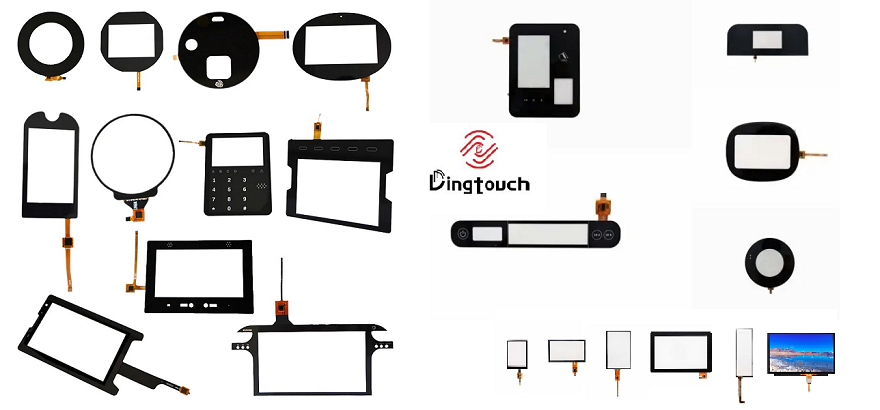
DINGTouch provides customized industrial touch display solutions for OEM and ODM projects, including PCAP touchscreens, TFT LCD integration, cover glass customization, and application-specific engineering support.
If your touchscreen works normally during standalone testing but becomes unstable after system integration, contact DINGTouch to discuss your application requirements and touch performance challenges.




Ready to Build Your Outdoor Display Solution?
Get in touch with us at sales@szdingtouch.com. Our expert engineers will help you design a cost-effective, tailored solution to meet your project’s exact specifications.
DINGTouch:Committed to continuous innovation and improvement of product quality to meet customers' high requirements and expectations.
DINGTouch is a manufacturer that provides high quality touch screen panels. Focus on the design, manufacturing and sales of touch screen panels, and are committed to providing customized solutions that satisfy customers.
DINGTouch: In the process of customizing touch screen panels, we focus on close cooperation and communication with customers. Understanding customers' needs and providing customized solutions will meet customers' individual needs. The company's products are favored by customers for their high quality and reliability, and provide them with the best Touchscreen panel solutions.
DINGTouch:Committed to continuous innovation and improvement of product quality to meet customers' high requirements and expectations.
DINGTouch is a manufacturer that provides high quality touch screen panels. Focus on the design, manufacturing and sales of touch screen panels, and are committed to providing customized solutions that satisfy customers.
DINGTouch: In the process of customizing touch screen panels, we focus on close cooperation and communication with customers. Understanding customers' needs and providing customized solutions will meet customers' individual needs. The company's products are favored by customers for their high quality and reliability, and provide them with the best Touchscreen panel solutions.
At DINGTOUCH, we are the world's leading touchscreen manufacturer, helping businesses around the world take advantage of this exciting technology. For more information, please visit the home page now.

DINGTouch is a company specializing in the R&D and production of touch screen technology, headquartered in Shenzhen, China. As a professional touch screen supplier, DINGTouch is committed to providing high-quality, stable and reliable touch screen products to meet the diverse needs of customers. We continue to carry out technological innovation and product optimization to ensure that its touch screen products have good sensitivity, accuracy and durability.
In addition to the products themselves, we also focus on cooperation and communication with customers, and are committed to providing customized solutions and excellent after-sales services. Through continuous efforts to improve product quality and customer satisfaction, we have established a good reputation in the touchscreen industry and won widespread market recognition.
In addition to the products themselves, we also focus on cooperation and communication with customers, and are committed to providing customized solutions and excellent after-sales services. Through continuous efforts to improve product quality and customer satisfaction, we have established a good reputation in the touchscreen industry and won widespread market recognition.
What DINGTOUCH can do:
• PCAP maximum size 65”
• Multi-touch (Touch screen can be customized to your needs.)
• Optical bonding service/air bonding
• LCD interface: HDMI/RGB/MIPI/LVDS/EDP, etc.
• PCAP interface: IIC/USB interface
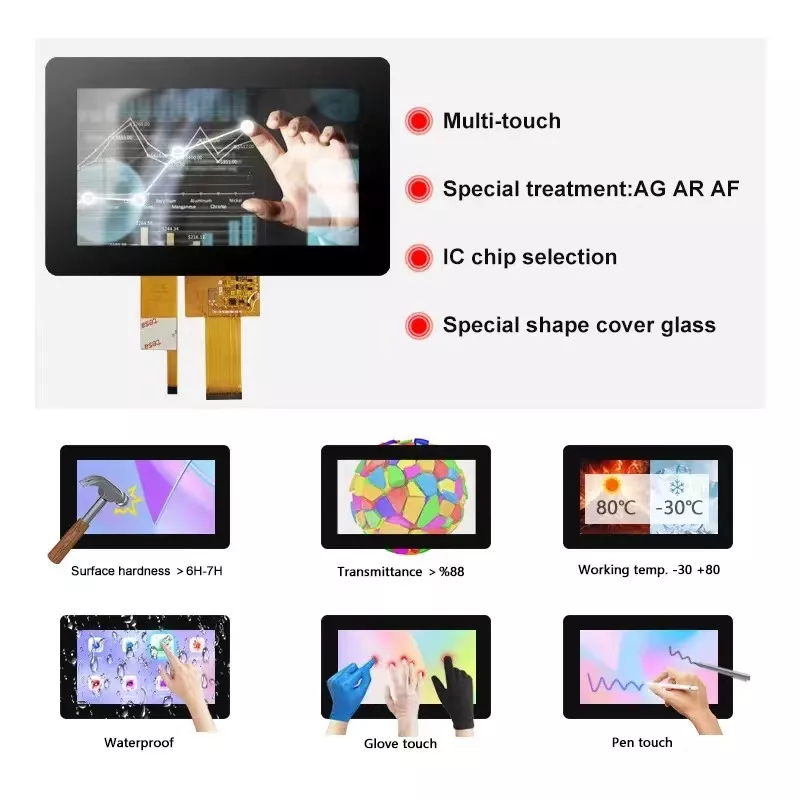
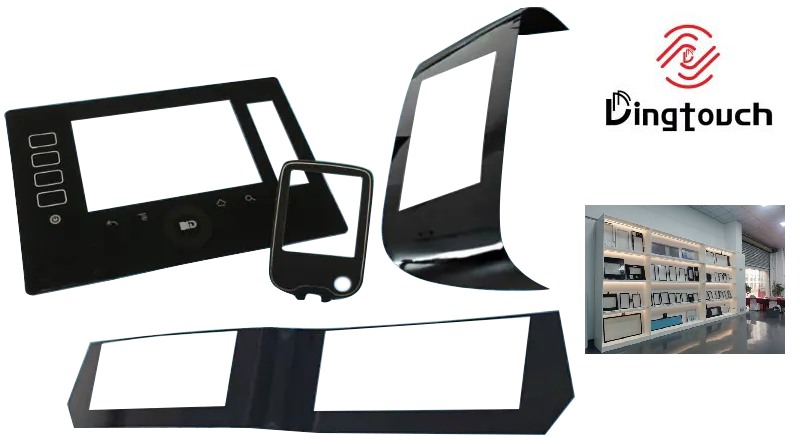
• CTP can customize the cover glass surface treatment process AG (anti-glare), AR (anti-reflection), AF (anti-fingerprint), waterproof, and glove touch
• Supports 0.55 mm-12 mm coverslip touch.
• Support operating temperature: -40℃-90℃.
Dingtouch Industrial capacitive touch screen Manufacturer
In conclusion, Dingtouch as a professional touch screen manufacturer with more than 10 years touch screen experience.We have many capacitive touch screen. Such as 5 inch touch screen,7 inch touch screen,10.1inch touch screen,15 inch touch screen,15.6 inch touch screen,17 inch touch screen,18.5 inch touch screen,19 inch touch screen,21.5 inch touch screen,32 inch touch screen, However, we also welcome to customize your own touch screen . Contact our team today to learn what capacitive touch screen are best for our retail business needs.
Contact us NOW! sales@szdingtouch.com
#Medicaltouchscreencalibration, #capacitivetouchcalibrationguide, #IEC60601touchscreen, #DINGTouchmedicaldisplay, #touchscreenaccuracy, #touchscreen driftfix, #medicalequipmenttouchsolutions, #IP65touchpanel, #IK10medicaltouchscreen, #glove touch medical monitor,#ILITEKTouchControllerICSelectionGuide ,#OCAtoOCR #GT911,#CustomizedWideTemperatureTouchScreenSolutions,#Waterproof Touchscreen,
#highbrightnessLCD, #sunlightreadabledisplay,#industrialLCDbacklight, #outdoor displaymodule, #customLCDsolution, #1000–2000nitsdisplay, #DINGTouchtouchscreen.
DINGTouch — Custom Touch Display Solutions Expert
Every touch, clear and precise, ready for any environment.
Every touch, clear and precise, ready for any environment.
CATEGORIES
CONTACT US
Contact: Dingtouch
Phone: +8615815536116
Tel: +8615815536116
Email: sales@szdingtouch.com
Add: Building A, Bailu Plaza, No. 48, Gonghe Industrial Road, Gongle Community, Xixiang Street, Baoan District, Shenzhen,China. 518126
 Dingtouch